HIPAA risk assessment checklist
Work through a HIPAA security risk analysis in 17 steps, from scoping ePHI to the fix plan, and export your progress.
Free, runs in your browser, no sign-up. Updated 2026-10-25.
Guidance, not legal advice. This checklist helps engineering teams run a risk analysis; your compliance officer or counsel decides what applies to you.
0 of 17 done, 0%.
Risk analysis, 164.308(a)(1)(ii)(A): “Conduct an accurate and thorough assessment of the potential risks and vulnerabilities to the confidentiality, integrity, and availability of electronic protected health information held by the covered entity or business associate.”
Risk management, 164.308(a)(1)(ii)(B): “Implement security measures sufficient to reduce risks and vulnerabilities to a reasonable and appropriate level to comply with § 164.306(a).”
- Required done
- 0 of 16
- 1. Prepare
- 0 of 3
- 2. Assess
- 0 of 6
- 3. Respond
- 0 of 4
- 4. Maintain
- 0 of 4
Ask OceanLab to help close the gaps
Opens an email to OceanLab with this result and a link to your inputs. Nothing is sent until you press send, and there is no sign-up.
How this is calculated
The steps serve two Required specifications in 45 CFR 164.308(a)(1)(ii): (A) risk analysis and (B) risk management, quoted on the page from the CFR on govinfo.
The order follows NIST SP 800-30 Rev. 1: prepare, assess (threats, vulnerabilities, likelihood, impact, risk level), respond and maintain. Documentation and retention steps cite 164.316.
The wording is OceanLab's plain-English reading for engineering teams. The ONC / HHS Security Risk Assessment Tool is a free official alternative for small practices.
Your ticks are saved in this browser only. Export them as Markdown or print the page.
Sources
- 45 CFR 164.308 (administrative safeguards), CFR 2024 edition on govinfo · checked 2026-10-25
- ONC / HHS Security Risk Assessment Tool (version 3.7) · checked 2026-10-25
- NIST SP 800-30 Rev. 1, Guide for Conducting Risk Assessments · checked 2026-10-25
Questions about this tool
How often should we do a risk analysis?
The rule does not set a calendar. It asks you to keep it current, so re-run it when something changes: a new vendor, a new data flow, new infrastructure or an incident.
How is this different from the HIPAA checklist?
The HIPAA checklist lists every Security Rule safeguard. This one walks through the risk analysis that decides which safeguards matter most for you.
Does the official SRA Tool replace this?
It is a free tool from ONC and HHS aimed at small and medium practices. This checklist is shaped for software teams. Use whichever fits; the duty is the same.
Is this legal advice?
No. It is guidance for engineering teams. Your compliance officer or counsel decides what applies to you.
Other free tools
OceanLab product builds like this
Products OceanLab designed and built. Each case study covers the screens, the scope and the rules it was built for.
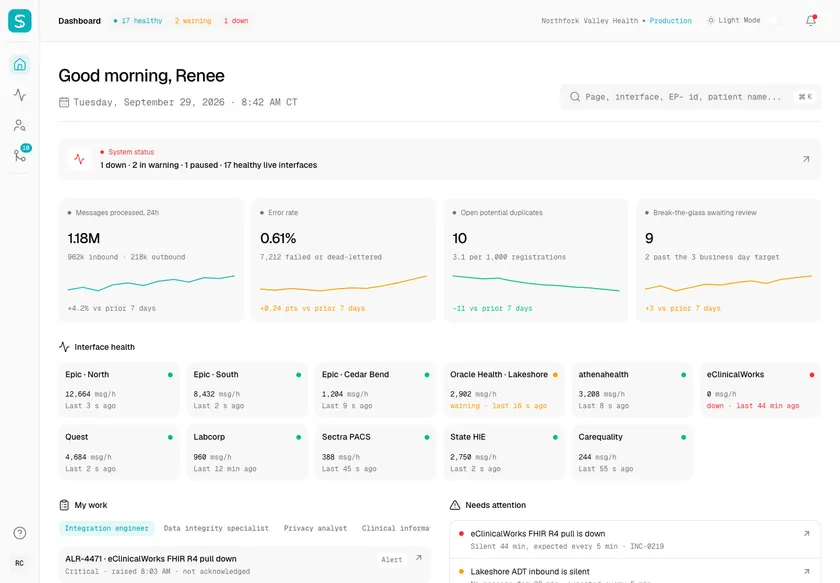
Sutura - HIPAA-Compliant Patient Data Hub over HL7 and FHIR
Designed and built a clickable patient data hub for a US health system running Epic, Oracle Health, athenahealth and eClinicalWorks: a live monitor for every HL7 v2, FHIR and HIE feed, one matched enterprise patient with a provenance-tagged record, and a duplicates queue where a person decides every uncertain match.
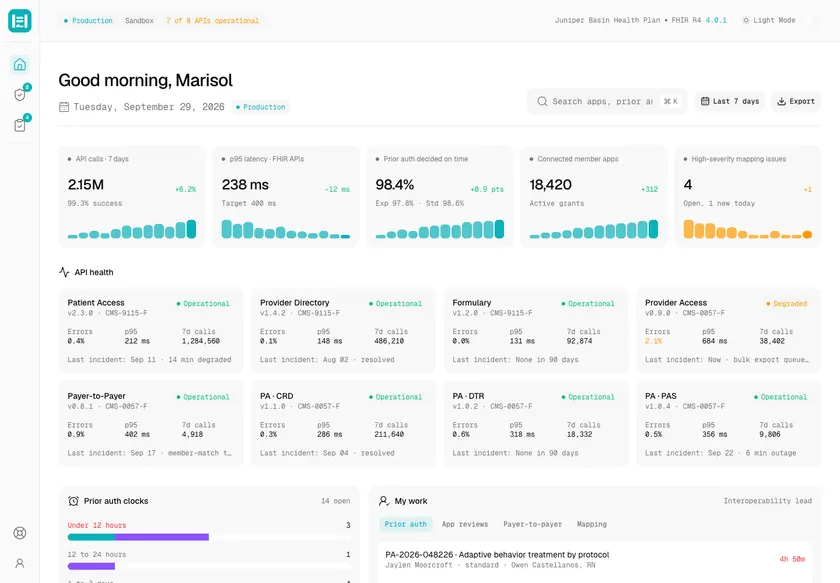
Headgate - FHIR Interoperability API Platform for Claims, Clinical Data and Prior Authorization
Designed and built a clickable console for the FHIR APIs a US regional health plan must run under federal interoperability rules: API health across Patient Access, Provider Directory, Formulary, Provider Access, Payer-to-Payer and Prior Authorization, a security review queue for third-party apps, and one clock for every prior authorization request, however it arrived.
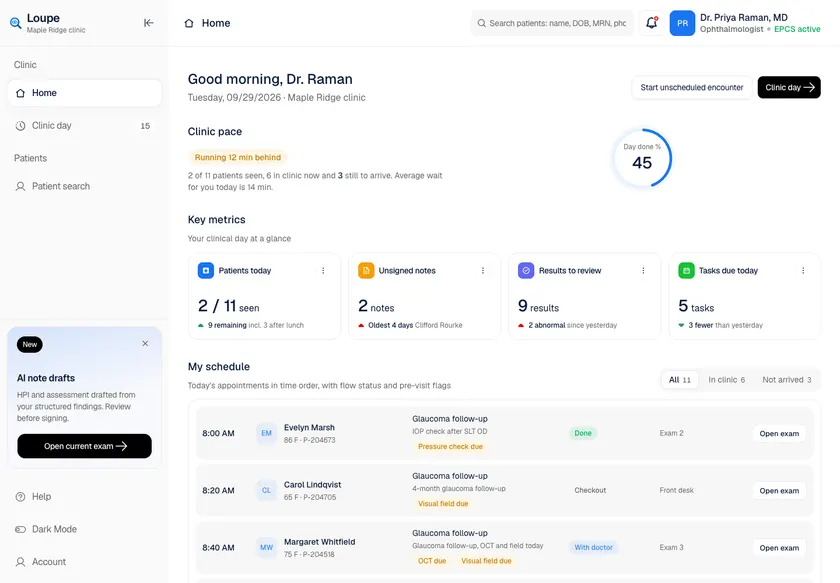
Loupe - Ophthalmology EHR with Per-Eye Charting and Laterality-Aware Coding
Designed and built a clickable ophthalmology EHR for a US eye care group with seven clinics: a clinician's day at a glance, a live patient flow board with dilation timers, patient search with break-the-glass access, a chart summary with right-eye and left-eye findings side by side, and a structured exam workspace per eye.
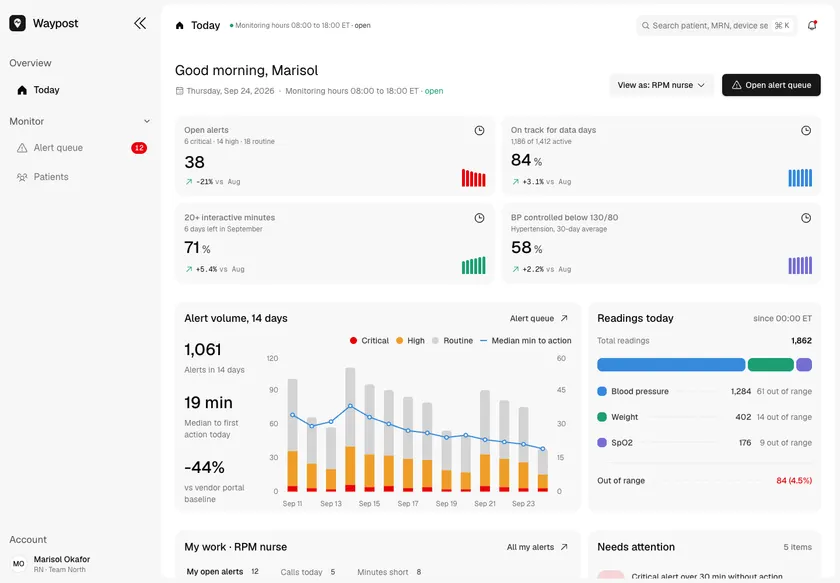
Waypost - Remote Patient Monitoring Platform with Risk-Sorted Alerts
Designed and built a clickable remote patient monitoring platform for a US cardiology and primary care group: home blood pressure, weight and SpO2 readings from cellular devices, a risk-sorted alert queue for nurses, triage with the practice's protocol on screen, and live progress toward each patient's Medicare RPM billing requirements.
