How to build an EHR system
The modules, data model and integrations an electronic health record needs, the rules it must follow, and an order to build it in, from a clickable prototype to a live clinic.
What an EHR system does
An electronic health record (EHR) holds the clinical record of each patient: problems, medications, allergies, notes, orders, results and documents. Around it sit scheduling, billing and the messages that connect the clinic to labs, pharmacies and other providers.
General EHRs exist, so most new builds are for a specialty or a setting the big systems serve badly: an eye clinic, a dental group, a vet chain, a multi-department clinic. The shape is the same; the charting, coding and workflows change.
The modules you need
Most teams need all of these in the end. The phased plan below sets the order.
Patient record
Demographics, identifiers, problems, allergies, medications and history, shared by every other module.
Charting and notes
Specialty templates for exams and notes, with structured fields where data will be reused and free text where it will not.
Orders and results
Lab, imaging and referral orders out, results back, with abnormal results flagged to the right clinician.
Medications and prescribing
Prescriptions with interaction and allergy checks, and electronic prescribing where the country supports it.
Scheduling
Clinician calendars, rooms and equipment, with reminders and waitlists.
Billing and coding
Diagnosis and procedure codes from the chart, claims to payers and invoices to patients.
Patient access
A portal or app for results, appointments and messages, and export of the record on request.
Audit and access control
Who opened which record and why, with break-glass access for emergencies.
How the parts fit together
- 01
Clinical data model first
One internal model with tested mappings to FHIR resources, so integrations and exports share the same data.
- 02
Versioned clinical records
Notes and results are amended, never overwritten, and signed notes are locked.
- 03
Integration engine
HL7 v2 and FHIR in and out, with acknowledgements, queues and replay when a partner is down.
- 04
Terminology service
ICD-10, SNOMED CT, LOINC and local codes handled in one place, with versions.
- 05
Role and context based access
Access decided by role, care relationship and location, checked on the server for every request.
- 06
Reporting copy
A separate store for dashboards, quality measures and research, kept away from the live system.
Data model sketch
- 01
Patient and identifiers
One patient with all their identifiers across systems, and a merge history.
- 02
Encounter
Each visit, admission or remote contact, linking notes, orders and charges.
- 03
Condition, allergy and medication
Coded clinical facts with status, onset and source.
- 04
Observation and result
Measurements and lab values with units, reference ranges and the device or lab they came from.
- 05
Document and note
Signed notes, letters, images and scans with authors and versions.
- 06
Charge and claim
Codes, amounts, payer and status, linked back to the encounter.
Systems it has to talk to
- 01
Labs and imaging
Orders and results over HL7 v2 or FHIR, and DICOM for images.
- 02
Pharmacies and e-prescribing
National e-prescription services or networks, and drug databases for checks.
- 03
Payers and claims
Claims and remittance through each country's standard, such as X12 in the US.
- 04
Other providers and health information exchanges
Referrals, summaries and record queries over FHIR or national networks.
- 05
Identity and devices
National health IDs where they exist, and medical devices that send readings.
Rules to design for
Which rules apply depends on your market and product.
- 01
Health data protection
HIPAA in the US, the GDPR's special category rules in the EU, and national health record laws on access and retention.
- 02
Interoperability
In the US, certification and information blocking rules expect standard FHIR access. Many countries have national standards too.
- 03
Prescribing and controlled drugs
Electronic prescribing rules, and extra controls for controlled substances.
- 04
Clinical safety
Some countries require a clinical safety case for health IT, and some features can be medical devices.
- 05
Records retention
How long each record type must be kept, often for many years, and how it is archived.
From prototype to production
Build in this order so something real is in users' hands early.
- 01
Clickable prototype
The chart, one specialty template and the day view, tried by clinicians on realistic patients before code is written.
- 02
First clinic live
Patient record, charting, scheduling and the audit log, with data migrated from the old system for one site.
- 03
Orders, results and billing
Lab and imaging integrations, prescribing and claims, so the clinic stops working around the system.
- 04
Scale
More sites and specialties, patient access, reporting and quality measures.
What drives the cost
These decide most of the budget. For a number based on your own scope, use the cost tool. OceanLab bills $30-50/hr or per milestone.
- 01
Specialties and templates
Each specialty brings its own charting, codes and workflows.
- 02
Integrations
Every lab, imaging system, pharmacy network and payer is its own project.
- 03
Data migration
Moving years of records out of an old system, with mapping and checks.
- 04
Certification
Certifying the product, where your market requires it, adds testing and documentation.
- 05
Billing complexity
Several payers and schemes, each with its own rules.
- 06
Number of sites
Rollout, training and local variation across clinics.
Product builds that match this guide
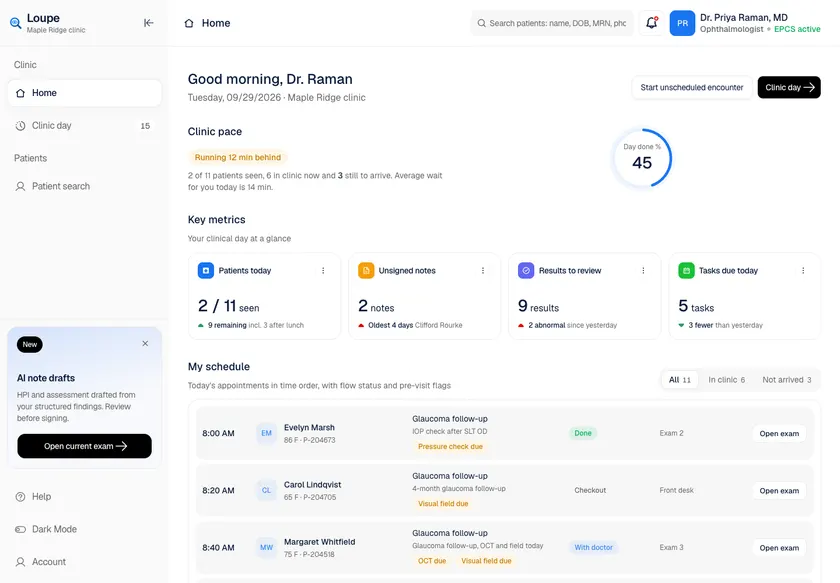
Loupe - Ophthalmology EHR with Per-Eye Charting and Laterality-Aware Coding
Designed and built a clickable ophthalmology EHR for a US eye care group with seven clinics: a clinician's day at a glance, a live patient flow board with dilation timers, patient search with break-the-glass access, a chart summary with right-eye and left-eye findings side by side, and a structured exam workspace per eye.
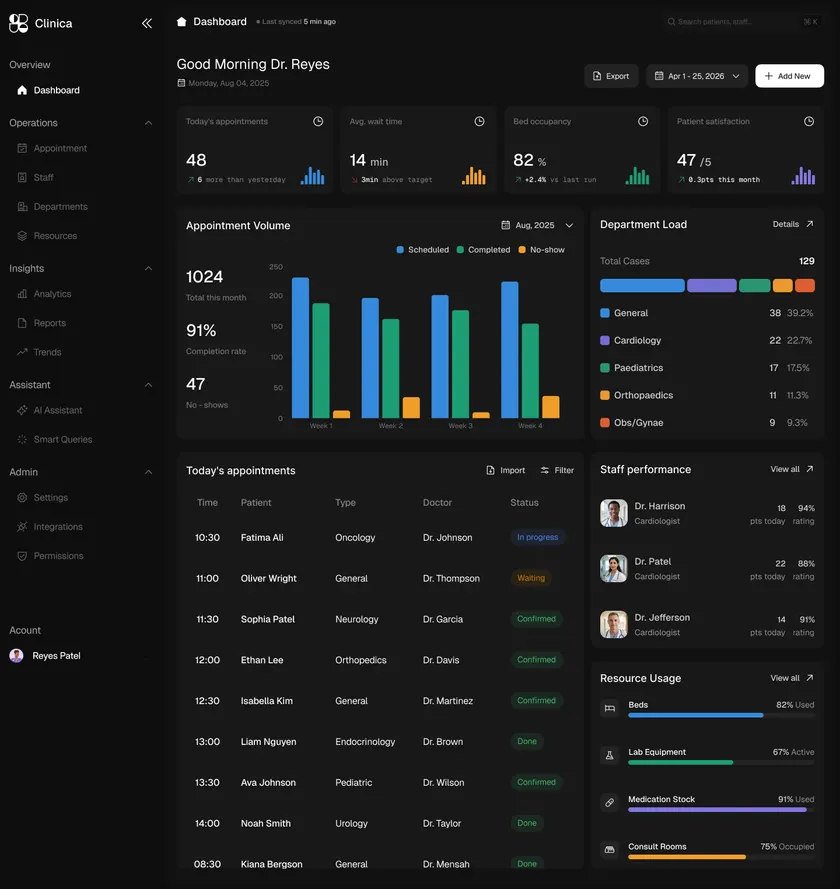
Clinica - Multi-Department Clinic Operations Console with AI Assistant
Built a multi-department clinic operations console with appointment management, department load tracking, staff performance, resource utilisation and an AI assistant for staff queries - shipped from clickable AI prototype to production in 14 weeks.
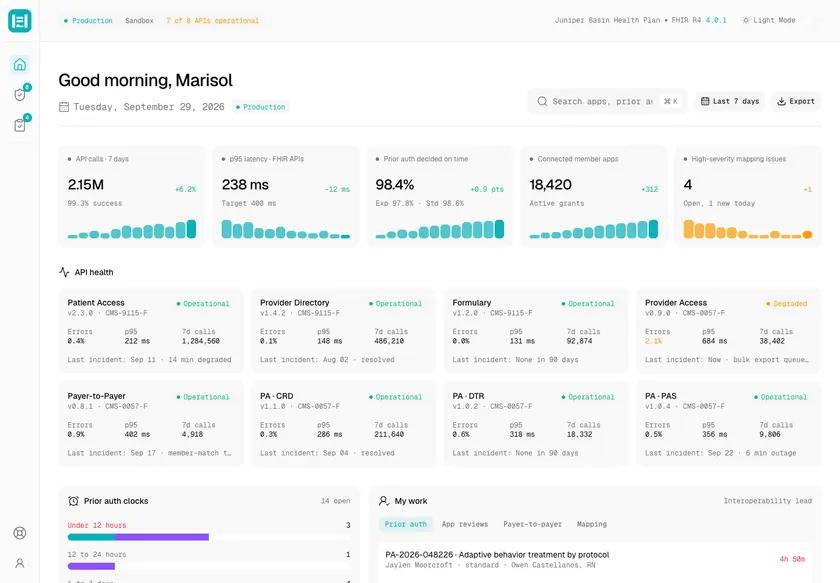
Headgate - FHIR Interoperability API Platform for Claims, Clinical Data and Prior Authorization
Designed and built a clickable console for the FHIR APIs a US regional health plan must run under federal interoperability rules: API health across Patient Access, Provider Directory, Formulary, Provider Access, Payer-to-Payer and Prior Authorization, a security review queue for third-party apps, and one clock for every prior authorization request, however it arrived.
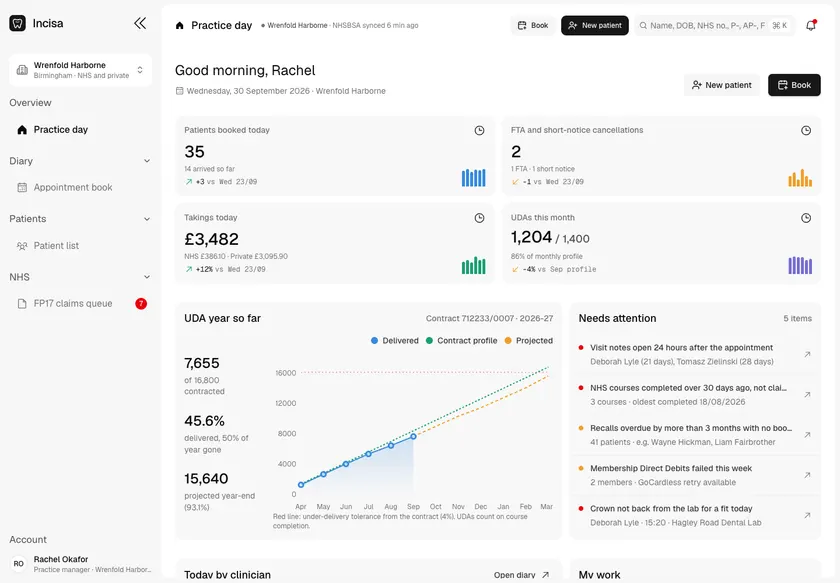
Incisa - Dental Practice Management for a Mixed NHS and Private Group
Designed and built a clickable practice management system for a group of 15 mixed NHS and private dental practices in England: the practice day with UDA delivery against the contract, the appointment book, patient records with a Palmer or FDI dental chart and NHS and private treatment plans, and an FP17 claims queue that catches errors before the NHSBSA does.
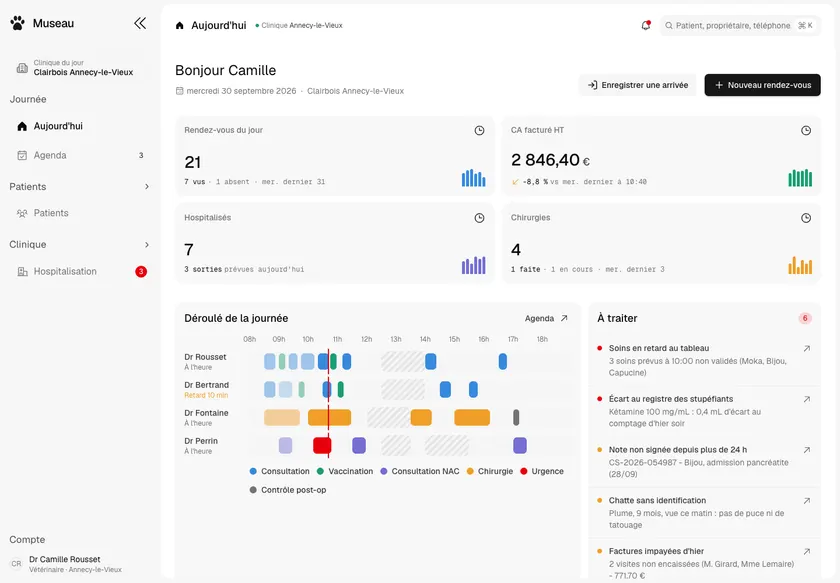
Museau - Practice Management for a 12-Clinic French Vet Group
Designed and built a clickable practice management system for a group of 12 companion-animal clinics in France: a dashboard of what needs handling today, the appointment book by vet and room, patient records shared across every clinic with I-CAD identification, and a 24-hour hospitalisation board where nurses tick off each treatment.
Two ways to work with OceanLab
Project build
We design and build the system as one project. It starts with a clickable prototype your team tries before any production code is written. Pay per milestone (outcome-based) or hourly at $30-50/hr, depending on role and seniority.
Embedded engineers
Our engineers join your team on a flexible monthly retainer. Part-time is fine and it runs month to month, with hours that overlap the US, UK and Europe, the Middle East, and Australia and Asia. Outcome-based or $30-50/hr.
Questions
Should we build an EHR or buy one?
Buy when a general EHR fits your specialty and workflows. Build, or build a specialty layer on top, when your charting, coding or setting is poorly served and the workarounds cost you every day.
How do we move data from our old system?
We map the old data to the new model, run test migrations with checks clinicians can review, and move one site at a time with the old system read-only for reference.
Do we need FHIR from day one?
Design the data model so FHIR mapping is easy from day one. Which FHIR APIs you expose first depends on your market, partners and any certification you need.
