Towpath - Course Platform (LMS) for Professional Learning
Course Platform for a Canadian Professional Education Provider
Designed and built a clickable instructor studio for a Toronto provider of online finance, data and project management courses: course building with an accessibility gate before review, course analytics on aggregates only, a grading queue against a business-day target and learner Q&A across every course.
Most of our work is under NDA. Per agreement, we can share the work but not the company details - all names and identifying information shown here have been changed.
Impact
Studio home, the course builder with 6 tabs, course analytics, the grading queue with its submission viewer and learner Q&A. Every course in the demo opens its own builder and analytics.
Captions reviewed, transcripts, alt text, slide contrast and a keyboard test of any package. Submit for review stays blocked until each one is done or waived by the accessibility lead.
Each submission counts business days waiting, amber at 4 and red at 5, and the studio flags learner questions left unanswered for more than 2 business days.
English and French, self-paced and instructor-led, from draft to archived, with 18 submissions, 12 Q&A threads, 18 learners in 9 provinces and 5 instructors and TAs.
The Problem
Carlaw grew from classroom workshops to online courses on three tools that did not talk to each other: a hosted video site, a shop plugin and a spreadsheet of who had finished what. Learners lost their place between laptop and phone, certificates were made by hand every Friday, employers emailed each month to ask who had finished, and instructors could not see where learners gave up.
Our Solution
Towpath covers the whole journey from catalogue to certificate, for individual learners and employer teams. The build shows the instructor studio: build and version a course, clear its accessibility checklist before review, read drop-off and quiz results without seeing individual learners, grade against a rubric and answer questions in context.
The Challenge: One Platform for Learners, Employers and Instructors
A professional course business sells to individuals by card and to employers by the seat, teaches through video, readings, quizzes and graded work, and has to meet Canadian privacy, accessibility, anti-spam and consumer rules for every one of them.
Instructors Working Blind
Instructors could not see which lessons learners started but did not finish, which quiz questions most people got wrong, or which assignments and questions were waiting on them. Support absorbed the gaps in tickets.
Accessibility in Every Course
Ontario's AODA generally ties web content to WCAG 2.0 AA, and Carlaw targets WCAG 2.2 AA for the whole platform, course content included: captions and transcripts on every video, alt text and keyboard access in the player, quizzes and imported packages.
Privacy Across Provinces and Employers
PIPEDA applies across Canada and Quebec's Law 25 adds stricter duties for learners there. Employers who buy seats may see progress on the courses they assigned, but never what a person bought for themselves.
Many Formats, One Completion Rule
Video, readings, quizzes, rubric-graded assignments and SCORM or xAPI packages all feed one completion rule, versions change under enrolled learners, and the result has to become a certificate anyone can verify.
Our Approach: From Course Rules to a Clickable Studio
Spec and Rules Research
Mapped 10 roles from learner to operator admin, 48 screens across the public site, learner web and app, instructor studio, corporate admin portal and operator console, and the data model for courses, versions, lessons, quizzes, submissions, enrolments, certificates, seats and consents. Wrote down the rules the design follows: PIPEDA, Quebec Law 25, AODA and WCAG, CASL, provincial consumer protection, GST, HST and QST, PCI DSS, Open Badges and SCORM and xAPI.
Clickable Demo on a Production UI Kit
Built the instructor studio's 5 key screens on a production workspace kit: studio home with KPIs, course cards and a to-do list, the course builder with outline, details, completion and certificate, release schedule, accessibility checklist and versions, course analytics with drop-off by lesson and quiz item analysis, grading with rubric scoring, and learner Q&A. Reordering, adding lessons, grading and replies all run on local state.
What a Production Build Adds
Integration with video hosting and DRM downloads (such as Mux), captions (3Play Media or Rev), Stripe payments and tax, Okta or Entra ID SSO with SCIM, Credly or Accredible badges, a SCORM and xAPI engine with a learning record store, Postmark and Mailchimp email and Zendesk. Role-based staff auth, an append-only audit log, and the remaining surfaces: the public catalogue and checkout, the learner web and app, the corporate admin portal and the operator console.
Why It Works: The Studio Shows What Needs Doing
Accessibility Before Publishing
Every video in the outline shows its caption status as missing, machine or reviewed, the course header shows caption coverage, and the review button stays locked until the checklist is clear. A waiver needs the accessibility lead and a reason.
Analytics Without Exposing Learners
Course analytics show enrolments, completion, drop-off by lesson, where people stop watching and per-question results, filtered by source. Everything is aggregate and any group under 10 learners is hidden.
Queues Sorted by the Clock
Grading sorts submissions by business days waiting against Carlaw's 5-day target, and the submission viewer puts the files beside the rubric with assign to TA, release grade and return for resubmission in one place.
Questions Answered in Context
Each Q&A thread links to its lesson, instructor and TA replies are marked, and staff can accept an answer, pin a thread, hide a post pending moderation or report it, without leaving the queue.
Related case studies
View all: Higher ed & corporate learning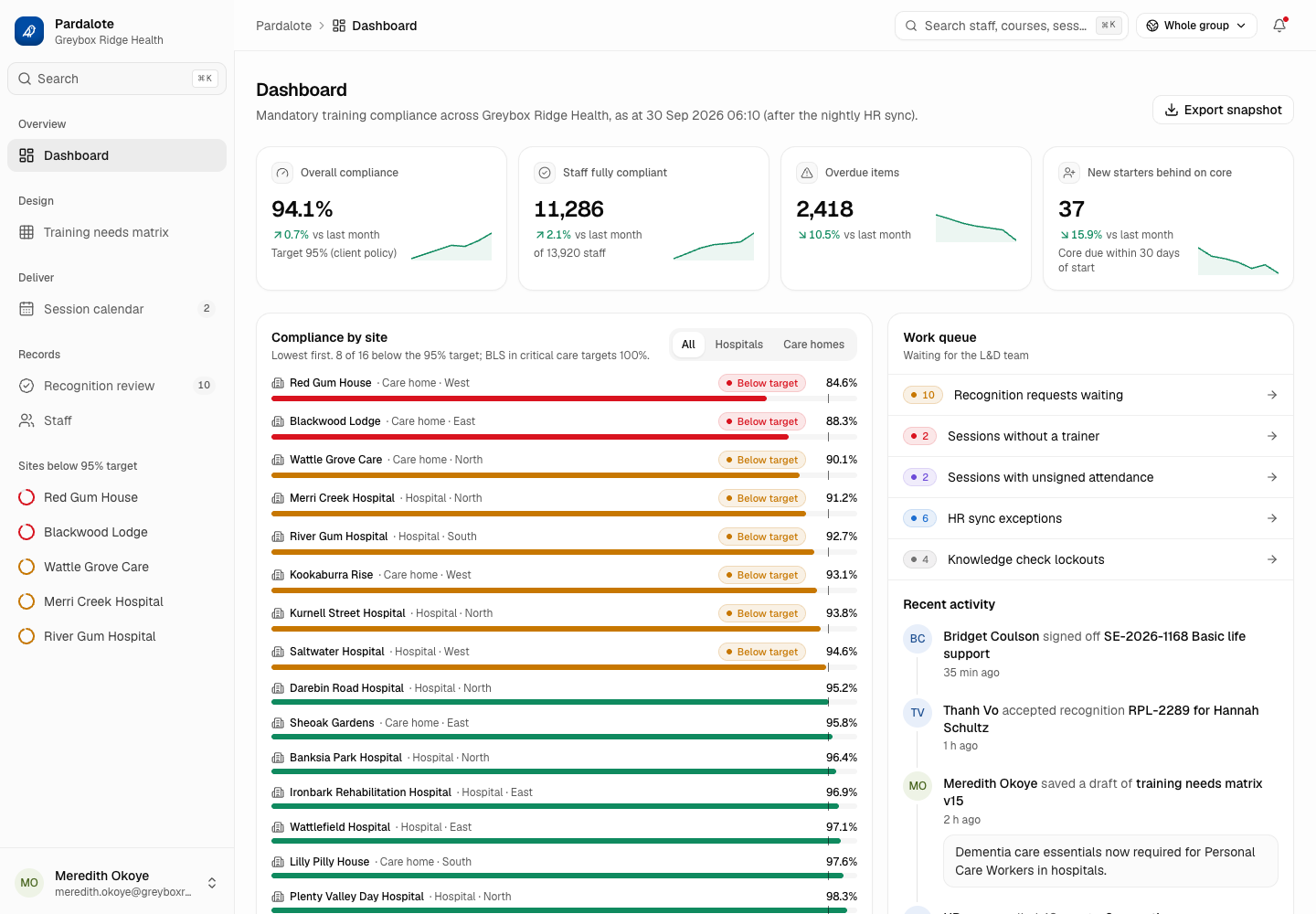
Pardalote - Mandatory Training Platform with Role-Based Requirements and Audit-Ready Evidence
Designed and built a clickable L&D console for a Melbourne hospital and aged care group with about 14,000 staff: a training needs matrix that decides who must do what, live compliance by site and course, a session calendar for face-to-face practicals, recognition of prior learning and a staff record that shows why every requirement exists.
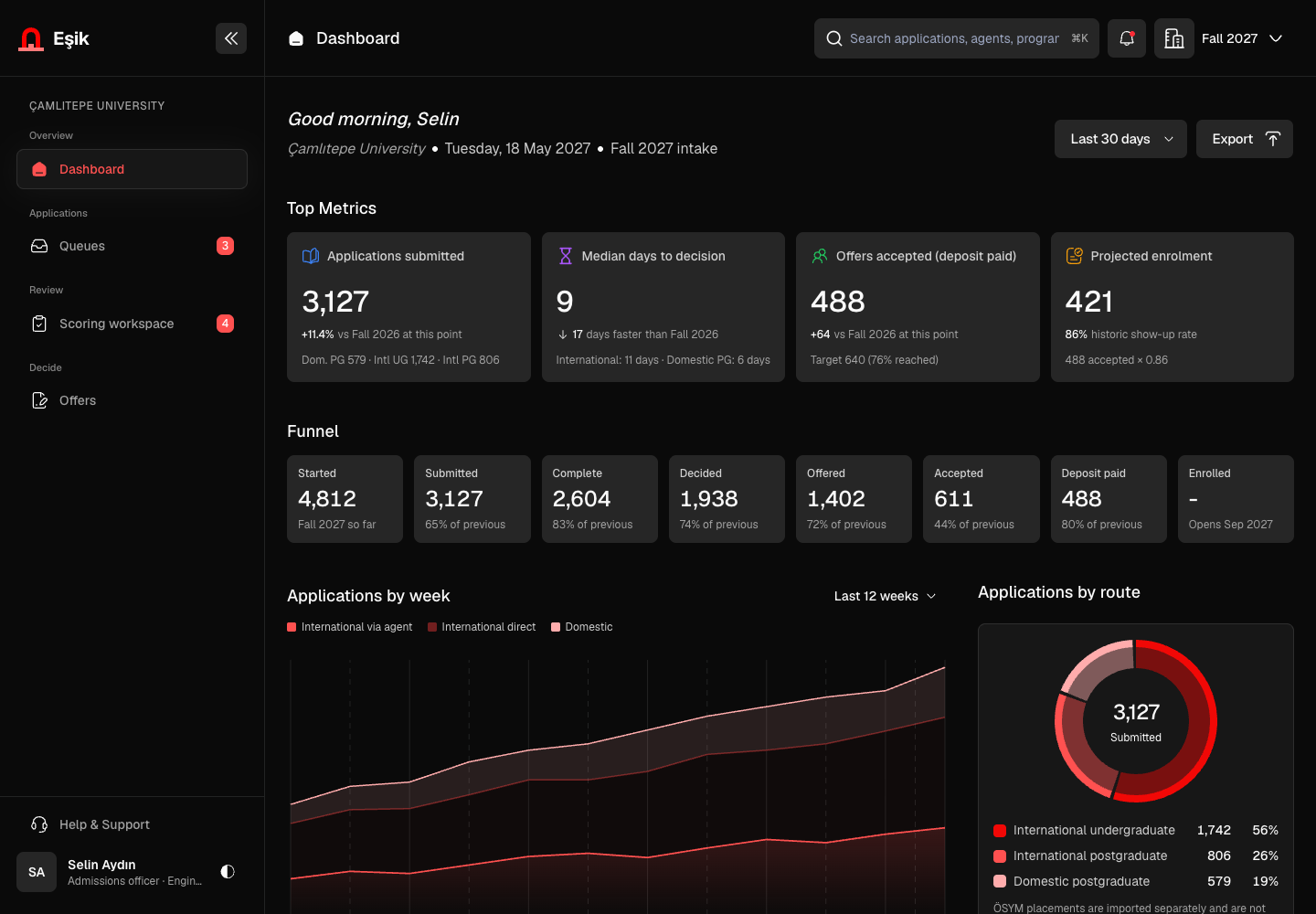
Eşik - Admissions Portal from Application to Enrolment Handoff
Designed and built a clickable admissions portal for a foundation university in Istanbul: programme queues with eligibility checks, an application record with verified documents and tests, a scoring workspace that asks for a conflict-of-interest declaration first, and offer tracking with conditions and reply deadlines.
Enterprise Software Engineering - Human + AI
Contact Us
© 2026 - Copyright. All Rights reserved Oceanlab
Location
Global Headquarters
21 Merchant Road, 3rd Floor, Singapore 058267
Main corporate office and leadership operations
North America Office
548 Market Street, PMB 12345, San Francisco, CA 94104
Client operations and business development
India Office
402 Shivalik Shilp II, SG Highway, Ahmedabad 380015
Engineering and delivery center

Enterprise Software Engineering - Human + AI
Contact Us
Locations
Global Headquarters
21 Merchant Road, 3rd Floor, Singapore 058267
Main corporate office and leadership operations
North America Office
548 Market Street, PMB 12345, San Francisco, CA 94104
Client operations and business development
India Office
402 Shivalik Shilp II, SG Highway, Ahmedabad 380015
Engineering and delivery center
© 2026 - Copyright. All Rights reserved Oceanlab