Pardalote - Mandatory Training Platform with Role-Based Requirements and Audit-Ready Evidence
Compliance Training Platform for an Australian Hospital and Aged Care Group
Designed and built a clickable L&D console for a Melbourne hospital and aged care group with about 14,000 staff: a training needs matrix that decides who must do what, live compliance by site and course, a session calendar for face-to-face practicals, recognition of prior learning and a staff record that shows why every requirement exists.
Most of our work is under NDA. Per agreement, we can share the work but not the company details - all names and identifying information shown here have been changed.
Impact
Dashboard, training needs matrix, session calendar, recognition review, staff list and a staff record with 6 tabs: requirements, history, bookings, recognition, credentials and activity.
13 job roles by 10 courses, each required, recommended or not required, with department overrides such as a 100% BLS target in ICU, ED and theatres. A draft shows the staff it affects before the L&D lead publishes.
Every hospital and care home is ranked against the 95% target (client policy), with sites below it flagged on the dashboard and pinned in the sidebar.
9 hospitals and 7 care homes, 10 courses, 26 staff records, 18 face-to-face sessions, 6 trainers and 13 recognition requests at every stage.
The Problem
Greybox Ridge ran mandatory training through an old learning system that only knew e-learning, spreadsheets per site for face-to-face sessions and paper sign-in sheets for basic life support and manual handling. Night-shift nurses could not reach the e-learning from home, agency and casual staff were missing from the lists, role changes were added by hand weeks later, and before each accreditation the L&D team spent about three weeks pulling spreadsheets together.
Our Solution
Pardalote tells every staff member which mandatory training their role needs and when it is due, books face-to-face practicals, and gives managers and the L&D team a live view of compliance by person, department and site. Requirements come from one versioned training needs matrix, and every completion, decision and correction is recorded for accreditation evidence.
The Challenge: Proving Every Role Is Trained
No single law lists every mandatory course. A health and aged care group sets its own training needs matrix from its legal duties, accreditation standards and risk, then has to show assessors that 14,000 staff across 9 hospitals and 30 care homes are current against it.
Requirements That Follow the Role
What a person must hold depends on their role, site type, department and employment type. When a ward assistant became an enrolled nurse, the new requirements were added by hand weeks later, if at all.
Two Accreditation Frameworks
Hospitals are assessed against the NSQHS Standards and care homes against the Aged Care Quality Standards. Both expect the organisation to know what training its workforce needs and to monitor participation, per course, role and site.
Practicals That Need a Room and a Trainer
Basic life support and manual handling need a face-to-face practical with a qualified trainer, the right equipment and enough people booked. Sessions ran from site spreadsheets and paper sign-in sheets that nobody reconciled.
A Workforce That Changes Every Week
Casual and agency staff, new starters, movers and people on long leave all change what is due. Training done elsewhere has to be checked against each course's rules before it counts, and credentials such as the Working with Children Check expire on their own dates.
Our Approach: From a Training Matrix to a Clickable Console
Spec and Rules Research
Mapped 8 user roles, 37 screens across the staff app, manager section, L&D console and settings, and the data model for sites, job roles, versioned courses, matrix entries, assignment rules, requirements, sessions, completions, recognition requests and credentials. Wrote down the rules the design follows: the NSQHS Standards, the Aged Care Quality Standards, the Privacy Act 1988 and Victorian health records law, the Worker Screening Act 2020 (Vic), ANZCOR-aligned resuscitation content and the OHS Act 2004 (Vic).
Clickable Demo on a Production UI Kit
Built the L&D console's 6 key screens on a production workspace kit: the dashboard with KPIs, compliance by site and course, renewal wave and work queue; the training needs matrix with a draft, Preview impact and Publish; the session calendar with drag to reschedule and warnings; recognition review with a certificate viewer; and the staff list and staff record with record completion, grant extension and waive actions. All actions run on local state.
What a Production Build Adds
Integration with the HR system (such as SAP SuccessFactors or Workday) for joiners, movers and leavers, rostering (such as RLDatix or UKG), Microsoft Entra ID single sign-on, SCORM and xAPI e-learning packages, email, SMS and push reminders, and certificate storage in the Sydney region. An append-only audit trail, scope-based permissions, accreditation evidence packs, and the staff app and manager screens.
Why It Works: Every Requirement Has a Reason
One Matrix Drives Every Requirement
Job roles sit in rows and courses in columns, with headcount per role and a toggle for compliance per cell. Edits go into a draft that shows how many staff would gain or lose a requirement, and only the L&D lead can publish it, with the change audited.
The Worst Sites Come First
The dashboard sorts every hospital and care home lowest first against the 95% target, and a work queue counts what is waiting for L&D: recognition requests, sessions without a trainer, unsigned attendance, HR sync exceptions and knowledge check lockouts.
Sessions Flag Their Own Problems
Each face-to-face session shows its room, trainer and seats booked against capacity, with a warning for no trainer, a double-booked room, numbers under the minimum or attendance not signed off. Sessions can be dragged to another day.
Corrections Leave a Trail
Recognition shows the certificate beside the course's rules, with checks on certificate age and accepted providers. Recording a completion needs evidence and a reason, an extension needs a reason, and a waiver is for the L&D lead only, with an end date.
Related case studies
View all: Higher ed & corporate learning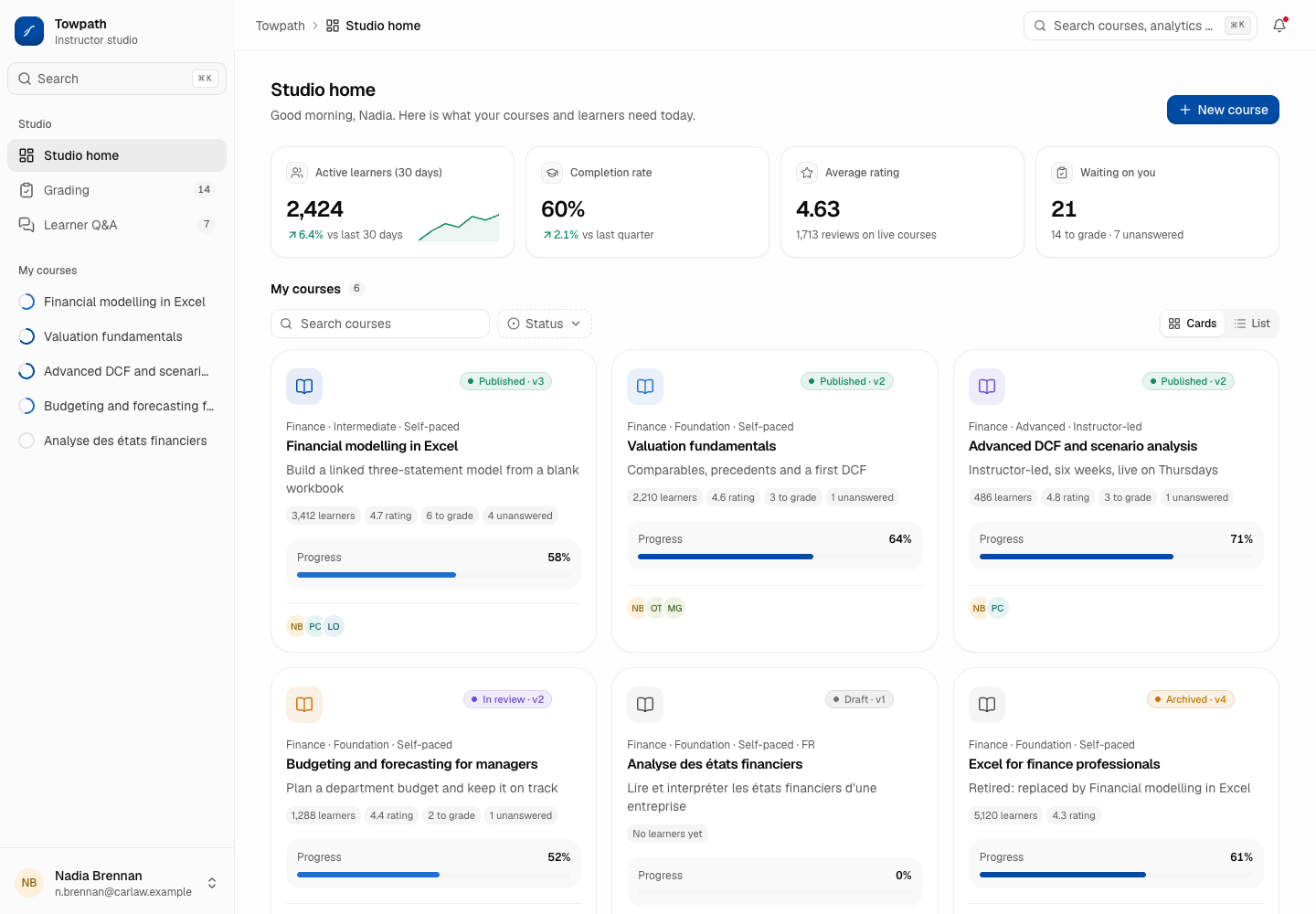
Towpath - Course Platform (LMS) for Professional Learning
Designed and built a clickable instructor studio for a Toronto provider of online finance, data and project management courses: course building with an accessibility gate before review, course analytics on aggregates only, a grading queue against a business-day target and learner Q&A across every course.
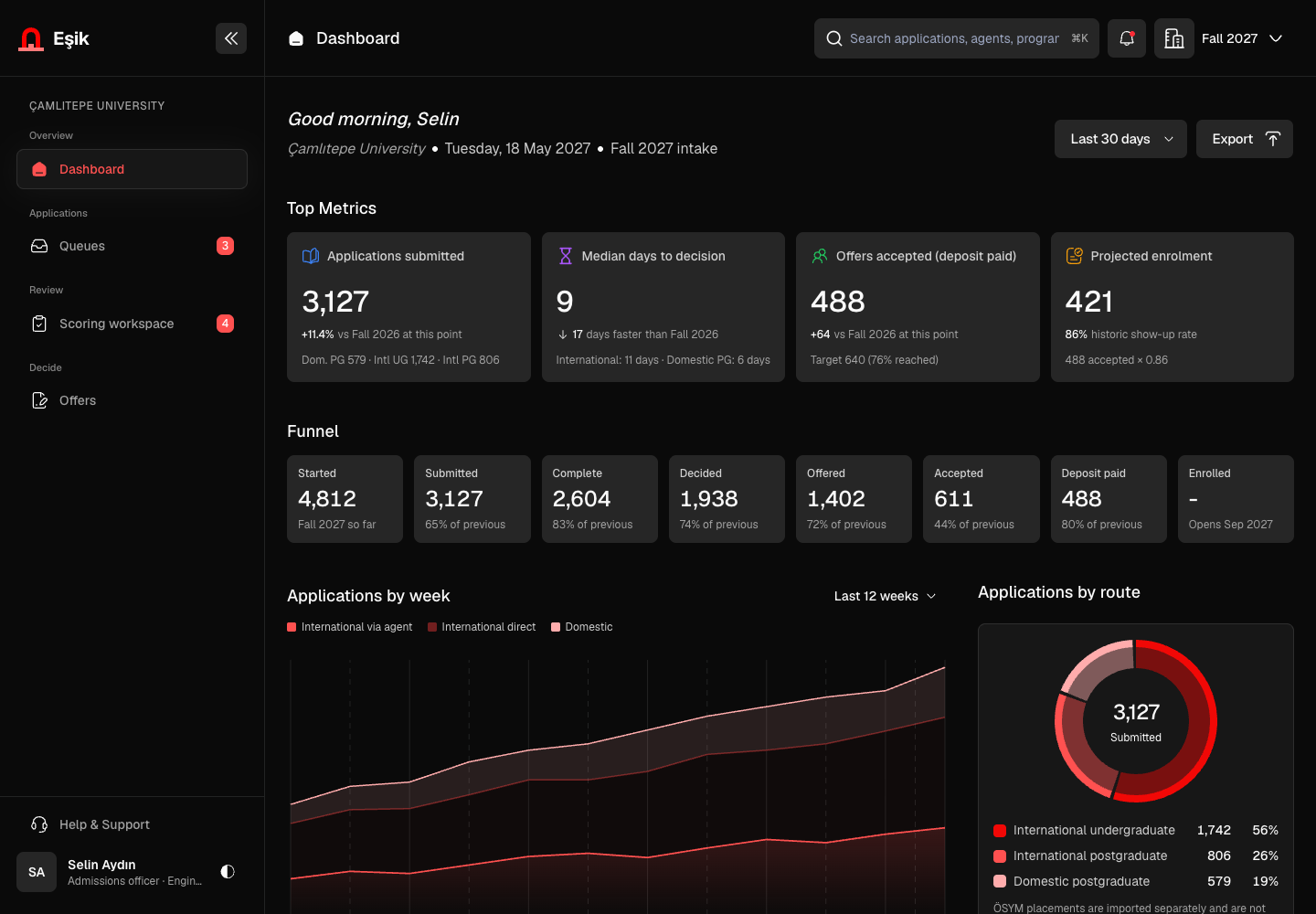
Eşik - Admissions Portal from Application to Enrolment Handoff
Designed and built a clickable admissions portal for a foundation university in Istanbul: programme queues with eligibility checks, an application record with verified documents and tests, a scoring workspace that asks for a conflict-of-interest declaration first, and offer tracking with conditions and reply deadlines.
Enterprise Software Engineering - Human + AI
Contact Us
© 2026 - Copyright. All Rights reserved Oceanlab
Location
Global Headquarters
21 Merchant Road, 3rd Floor, Singapore 058267
Main corporate office and leadership operations
North America Office
548 Market Street, PMB 12345, San Francisco, CA 94104
Client operations and business development
India Office
402 Shivalik Shilp II, SG Highway, Ahmedabad 380015
Engineering and delivery center

Enterprise Software Engineering - Human + AI
Contact Us
Locations
Global Headquarters
21 Merchant Road, 3rd Floor, Singapore 058267
Main corporate office and leadership operations
North America Office
548 Market Street, PMB 12345, San Francisco, CA 94104
Client operations and business development
India Office
402 Shivalik Shilp II, SG Highway, Ahmedabad 380015
Engineering and delivery center
© 2026 - Copyright. All Rights reserved Oceanlab