Sopaan - AI Maths and Science Tutor with Teachers in Charge
AI Tutor for Indian Secondary Schools and Families
Designed and built a clickable teacher workspace for an AI maths and science tutor sold to Indian secondary schools: a class mastery heatmap mapped to CBSE chapters, practice assignments, student detail with the tutor's line-by-line feedback on handwritten working, and a review queue for tutor chats the guardrails flagged.
Most of our work is under NDA. Per agreement, we can share the work but not the company details - all names and identifying information shown here have been changed.
Impact
Teacher home, class mastery heatmap, student detail with 5 tabs, assignments and flagged conversations, with slide-overs for the student quick view, skill panel and conversation transcript.
Not started, Learning, Practising, Review due and Mastered. Every heatmap cell carries a letter and the mastery estimate, and a teacher override is marked on the cell.
Off-topic pattern, attempted answer extraction, inappropriate language, content concern and possible distress. Safeguarding cases skip this queue and go to the school's designated contact.
4 CBSE maths classes across classes 7 to 9, 21 skills with chapter references, 14 assignments, 13 flagged conversations and 5 content corrections.
The Problem
Sampige's first product was a question bank app that students used to find answers, not to learn: they skipped to the solution and copied it into homework. Teachers could not see who was stuck on which skill, and parents heard about problems at the term exam. A general-purpose chatbot trialled as a tutor handed out full answers, cited textbook chapters that did not exist and once answered a student's message about being hurt at home with a maths hint. Schools would not renew until Sampige could prove the tutor teaches, its content is checked and disclosures reach an adult.
Our Solution
Sopaan tracks mastery skill by skill, gives Socratic hints before it ever shows an answer and cites the curriculum topic behind every step. Teachers stay in charge: a class heatmap shows who knows what, practice is assigned to the students who need it, flagged chats are reviewed with the guardrail events marked, and any safeguarding concern goes straight to the school's designated contact.
The Challenge: An AI Tutor Schools Can Trust
An AI tutor for children aged about 11 to 16 has to teach rather than answer, stay true to the syllabus, protect children's data and hand anything worrying to a responsible adult, while teachers keep the final say on what a student knows.
Answers Instead of Learning
Students skipped straight to the worked solution and moved on. A tutor has to hold back the final answer, offer hints one step at a time and resist students who ask it to just fill the box or solve a whole worksheet.
Content That Must Match the Syllabus
The trial chatbot drifted off topic and cited chapters that did not exist. Skills are mapped to the CBSE and CISCE syllabi for classes 6 to 10, cited by topic and chapter number, and every AI-drafted solution is reviewed by a subject specialist before students see it.
Disclosures Must Reach an Adult Fast
The POCSO Act generally requires anyone who knows or suspects an offence against a child to report it. Sopaan does not decide on its own: a high-severity escalation goes to the school's designated safeguarding contact at once and must be acknowledged within 1 hour in school hours.
Children's Data Under the DPDP Act
India's DPDP Act 2023 treats anyone under 18 as a child, generally requires verifiable parental consent and prohibits behavioural monitoring of children and targeted advertising. No practice data is collected until a verified parent consents, and the parent can withdraw at any time.
Our Approach: From Classroom Rules to a Clickable Workspace
Spec and Rules Research
Mapped 10 roles across students, parents, teachers, school admins, safeguarding contacts and Sampige's content and safety team, 48 screens with 5 slide-over panels and about 18 modals, and the data model for skills, items, mastery, attempts, uploaded working, tutor conversations, guardrail events, safeguarding cases, consent and evaluations. Wrote down the rules the design follows: the DPDP Act 2023 and DPDP Rules 2025, the POCSO Act 2012, CBSE and CISCE curriculum alignment, practice feedback only, no manipulative design and no training on student data.
Clickable Demo on a Production UI Kit
Built the teacher workspace's 5 key screens on a production dashboard kit: teacher home with classes, flags, stuck students and content corrections, the class mastery heatmap with filters, sorting, row selection and CSV export, student detail with mastery, sessions, uploaded working, chats and assignments, the assignment list and new assignment form with preview as student, and flagged conversations with review outcomes. All actions run on local state.
What a Production Build Adds
The tutor itself on business model APIs (such as Anthropic Claude, OpenAI or Gemini on Vertex AI), handwriting and maths OCR with Mathpix, content safety classification, Bhashini for Hindi review, evaluation tracing, DigiLocker or OTP for parent consent, school SSO, WhatsApp and SMS notices, Razorpay for family plans and hosting in AWS Mumbai. Plus the student app, parent area, school admin with the safeguarding inbox, and the content and safety console with item review, guardrails, evaluations, incidents and the audit log.
Why It Works: The Tutor Supports, the Teacher Decides
Practice Evidence, Never a Grade
Teacher home, the heatmap and every student page state that mastery is practice evidence, not an assessment grade, and assignments are never exported as marks. A teacher's own judgement wins: an override of the model's mastery level is recorded with its reason and marked on the heatmap.
Who Knows What, at a Glance
Students are rows and skills are columns, each column headed by its chapter and strand. Teachers filter by strand, skills and period, sort any column, select students and assign practice from the grid, and students without parental consent show no data.
Safeguarding Skips the Teacher Queue
Flagged chats open as a transcript with the guardrail events marked, and the teacher records an outcome: no concern, spoke to the student or tutor reply was wrong. Possible abuse or self-harm never waits in this queue; it goes straight to the designated safeguarding contact.
Chats Stay Private Unless There Is a Reason
Student detail shows chat topics only. A full transcript opens when the chat is flagged or on request with a reason that is logged. Teachers agree or disagree with the tutor's line-by-line feedback on uploaded working and raise content corrections for their classes or for Sampige.
Related case studies
View all: K-12 & tutoring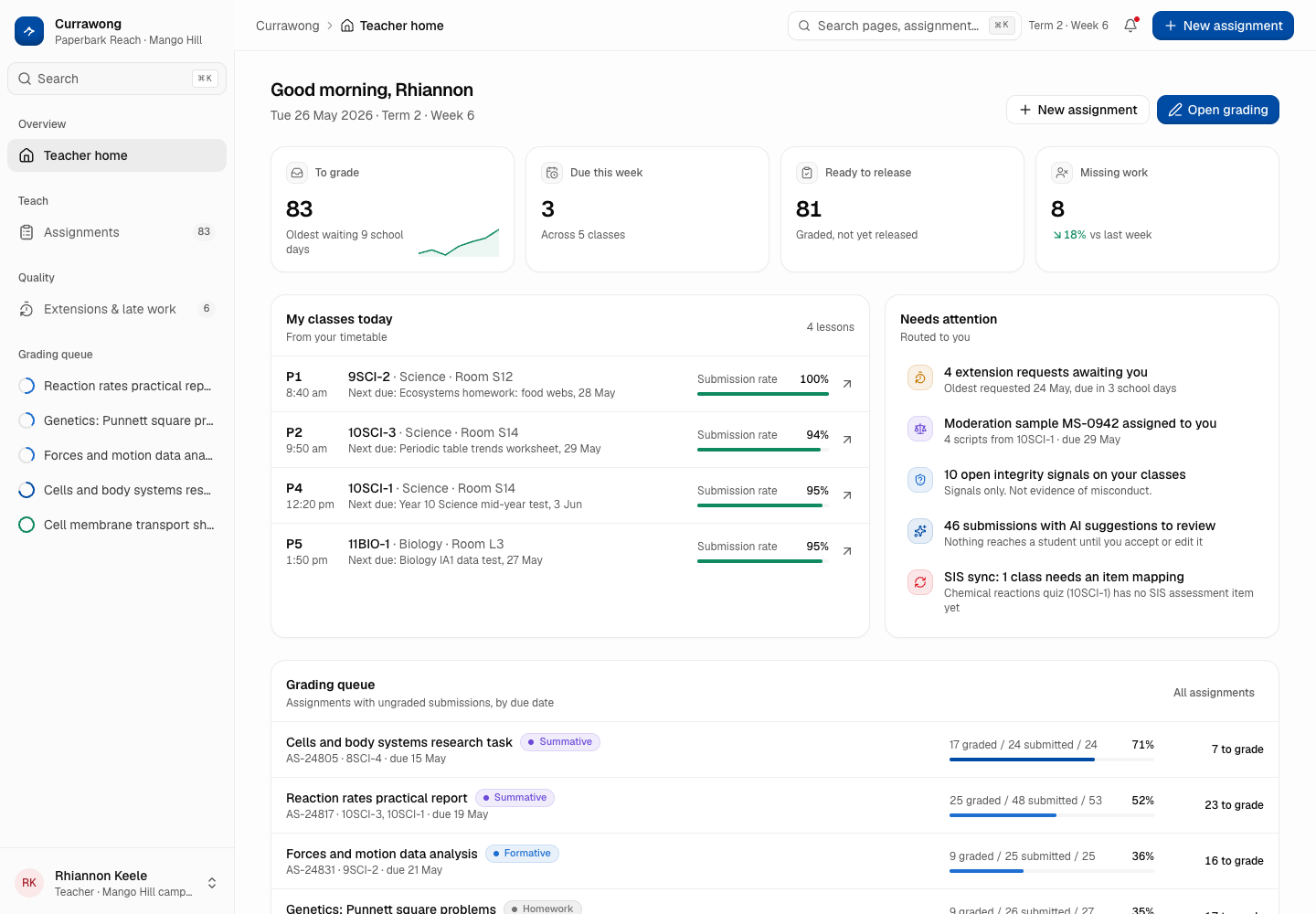
Currawong - Homework and Assessment Platform with Teacher-Reviewed AI Feedback
Designed and built a clickable homework and assessment platform for a network of 14 state secondary schools in greater Brisbane: assignments with differentiated versions, a submissions inbox, a grading workspace with rubrics, a comment bank and AI-suggested feedback that teachers must review, and one place to decide extensions and follow up late work.
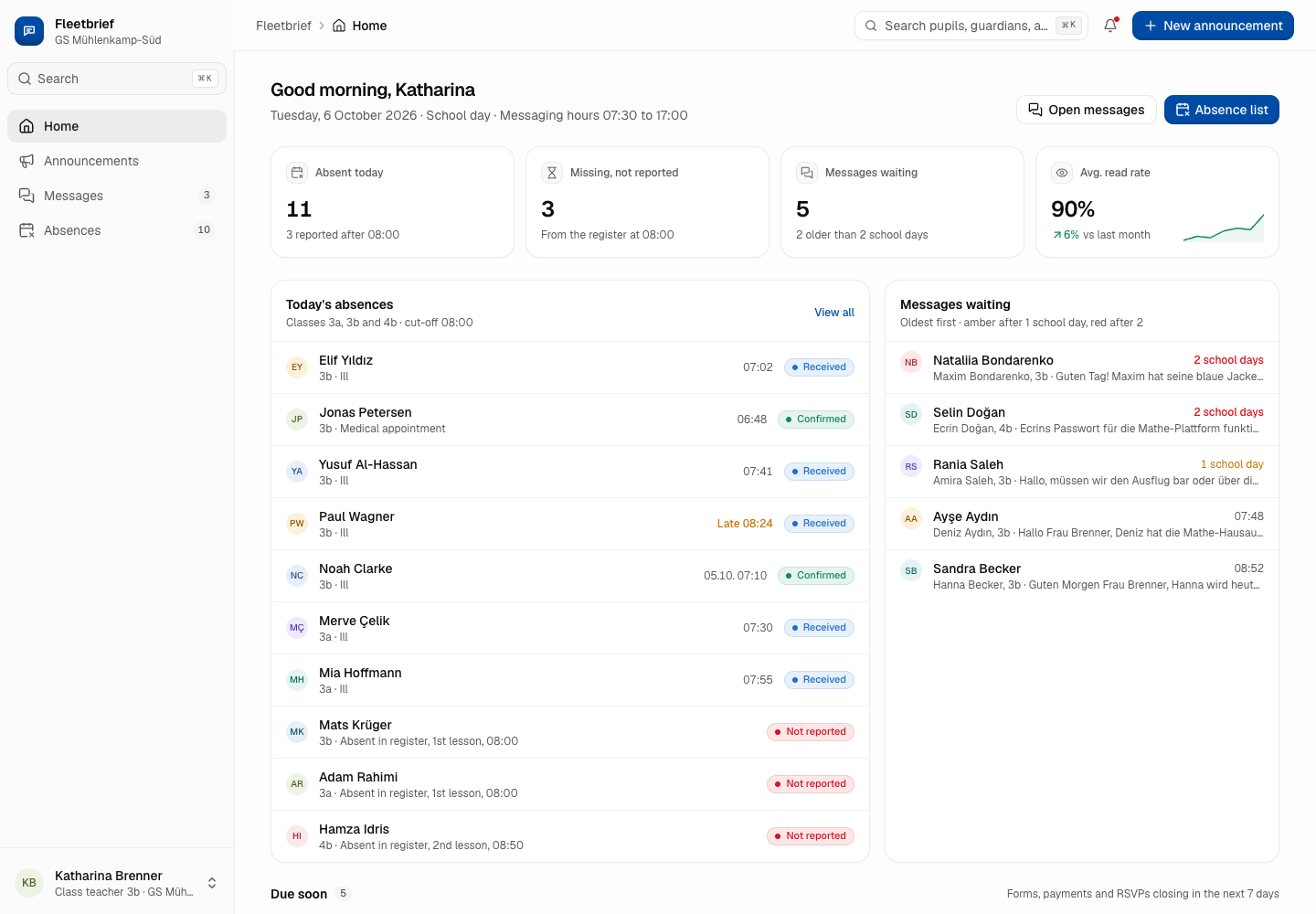
Fleetbrief - Parent Communication App in the Family's Language
Designed and built a clickable staff app for a Hamburg education office's parent communication platform: announcements with read receipts per guardian, the morning absence list against the register, and teacher messaging inside set hours - written in German and machine translated into Turkish, Arabic, Ukrainian and English, with the original always visible.
Enterprise Software Engineering - Human + AI
Contact Us
© 2026 - Copyright. All Rights reserved Oceanlab
Location
Global Headquarters
21 Merchant Road, 3rd Floor, Singapore 058267
Main corporate office and leadership operations
North America Office
548 Market Street, PMB 12345, San Francisco, CA 94104
Client operations and business development
India Office
402 Shivalik Shilp II, SG Highway, Ahmedabad 380015
Engineering and delivery center

Enterprise Software Engineering - Human + AI
Contact Us
Locations
Global Headquarters
21 Merchant Road, 3rd Floor, Singapore 058267
Main corporate office and leadership operations
North America Office
548 Market Street, PMB 12345, San Francisco, CA 94104
Client operations and business development
India Office
402 Shivalik Shilp II, SG Highway, Ahmedabad 380015
Engineering and delivery center
© 2026 - Copyright. All Rights reserved Oceanlab