Currawong - Homework and Assessment Platform with Teacher-Reviewed AI Feedback
Homework and Assessment Platform for a Brisbane School Network
Designed and built a clickable homework and assessment platform for a network of 14 state secondary schools in greater Brisbane: assignments with differentiated versions, a submissions inbox, a grading workspace with rubrics, a comment bank and AI-suggested feedback that teachers must review, and one place to decide extensions and follow up late work.
Most of our work is under NDA. Per agreement, we can share the work but not the company details - all names and identifying information shown here have been changed.
Impact
Teacher home, assignments list, assignment detail with the submissions inbox, the grading workspace and extensions and late work. Every submitted script in the demo opens in the grading workspace.
AI suggests feedback comments linked to a rubric criterion and quoted evidence. Each one is accepted, edited or dismissed by the teacher, and the panel never shows a suggested mark.
Most requests go to the class teacher, senior internal assessments to the head of department and AARA requests to the school leader, with the notice given in school days against a 2 school day lead time.
5 classes from Year 8 to Year 11, 16 assignments across homework, formative, summative and senior internal assessment, 4 rubrics including a school copy of a QCAA marking guide, and 12 extension requests.
The Problem
Each Paperbark Reach school ran homework its own way: on a general learning platform, on shared drives or on paper. Teachers re-typed the same feedback dozens of times a week, marks were copied by hand into the gradebook, Year 10 students regularly faced four major assessments in the same week, and parents found out about missed work at report time. When teachers began pasting student work into public AI chat tools to draft feedback, the network needed a controlled way to use AI.
Our Solution
Currawong gives teachers one place to set work, collect submissions, mark with rubrics and a shared comment bank, review AI-suggested feedback and release results, while heads of department see the assessment load on every cohort. AI only ever drafts words for a teacher to check, student names are removed before text reaches the model, and student data stays in Australian regions.
The Challenge: Faster Feedback, Teachers Still in Charge
Assessment in Queensland state secondary schools runs on teacher judgement, curriculum standards, QCAA rules for senior students and each school's own policies, and most of the people whose work is being marked are minors.
The Same Feedback, Typed Again
Teachers wrote the same comments for every class and copied marks by hand into the gradebook. Feedback took longer than marking, and nothing tied a comment to the rubric criterion it was about.
Major Tasks Landing Together
Heads of department had no view of when big tasks were due across subjects, so a cohort could face four major assessments in one week. The network's own limit is 3 major items per cohort per week.
AI Without Losing Accountability
The Australian Framework for Generative AI in Schools stresses human accountability, transparency and privacy. Teachers needed help drafting feedback without sending student work to public tools or letting a model influence a mark.
Adjustments, Senior Rules and Moderation
The Disability Standards for Education 2005 require reasonable adjustments in assessment, senior internal assessments follow QCAA rules on drafts and AARA, and moderation happened in staffroom meetings with printed samples and no record of what changed.
Our Approach: From Assessment Rules to a Clickable Platform
Spec and Rules Research
Mapped 7 user roles and 36 screens across staff, the mobile-first student app and a read-only parent view, and the data model for classes, adjustments, assignments and versions, items, rubrics, submissions, grades, feedback, AI suggestions, integrity signals, extensions, moderation samples and versioned policies. Wrote down the rules the design follows: Queensland's Information Privacy Act 2009, the Privacy Act 1988, the Australian Framework for Generative AI in Schools, the Disability Standards for Education 2005, the Australian Curriculum and QCAA senior syllabuses, and Queensland public records rules.
Clickable Demo on a Production UI Kit
Built 5 key teacher screens on a production dashboard kit: teacher home with KPIs, today's classes, a needs attention list and a grading queue; the assignments list with status counts and filters; the submissions inbox with signal chips, AI suggestion status, release feedback and extend for student; the grading workspace with auto-marked items and override, a rubric grid, comment bank, audio feedback and AI suggestions; and extensions and late work with the decide extension modal. It runs on mock data shaped like the spec's data model.
What a Production Build Adds
Sign-in through Microsoft Entra ID or Google Workspace for Education, class lists and results synced with the school's SIS (for state schools, typically OneSchool, route to confirm), Turnitin or Copyleaks for similarity, AI suggestions through Azure OpenAI or Amazon Bedrock in an Australian region, MathLive and MathJax, read-aloud, and Sydney-region file storage. An append-only audit log, a server rule that refuses to release unreviewed AI text, and the remaining screens: assignment builder, library, moderation, integrity signals, gradebook, department pages, settings, the student app and the parent view.
Why It Works: AI Drafts the Words, Teachers Own the Marks
Suggestions Point to the Evidence
Each AI suggestion names the rubric criterion and quotes the sentence in the student's work it refers to, which is highlighted on the left. Nothing enters the feedback until the teacher accepts or edits it, and students see a label when feedback was drafted with AI help.
Signals, Never Findings
Similarity and AI-use checks appear as chips on each submission and as a bar in the grading workspace that reads "Signal only. Not evidence of misconduct." No signal changes a mark, and any integrity decision is made and recorded by a person.
Adjustments Applied Automatically
Adjustments such as extra time, read-aloud or enlarged text come from the student's record and show as chips wherever that student appears. Differentiated versions such as Core, Supported and Extension are tracked per submission, and a student never sees the label of their version.
Policy Decides Who Decides
Extension requests show the notice given in school days and route by task type to the teacher, head of department or school leader. Every decision notifies the student, parents see the status only, and the teacher home flags any cohort near the weekly load limit.
Related case studies
View all: K-12 & tutoring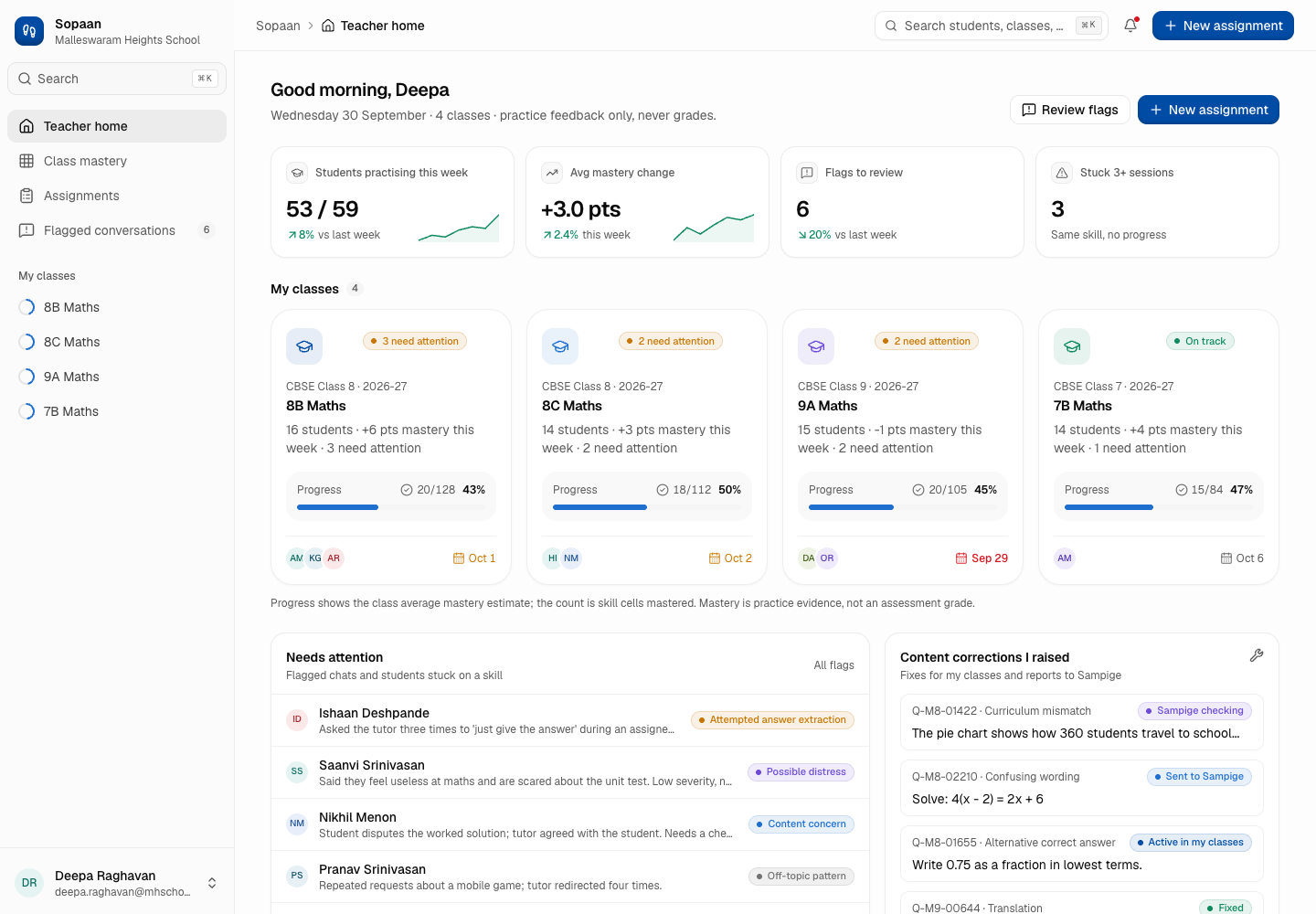
Sopaan - AI Maths and Science Tutor with Teachers in Charge
Designed and built a clickable teacher workspace for an AI maths and science tutor sold to Indian secondary schools: a class mastery heatmap mapped to CBSE chapters, practice assignments, student detail with the tutor's line-by-line feedback on handwritten working, and a review queue for tutor chats the guardrails flagged.
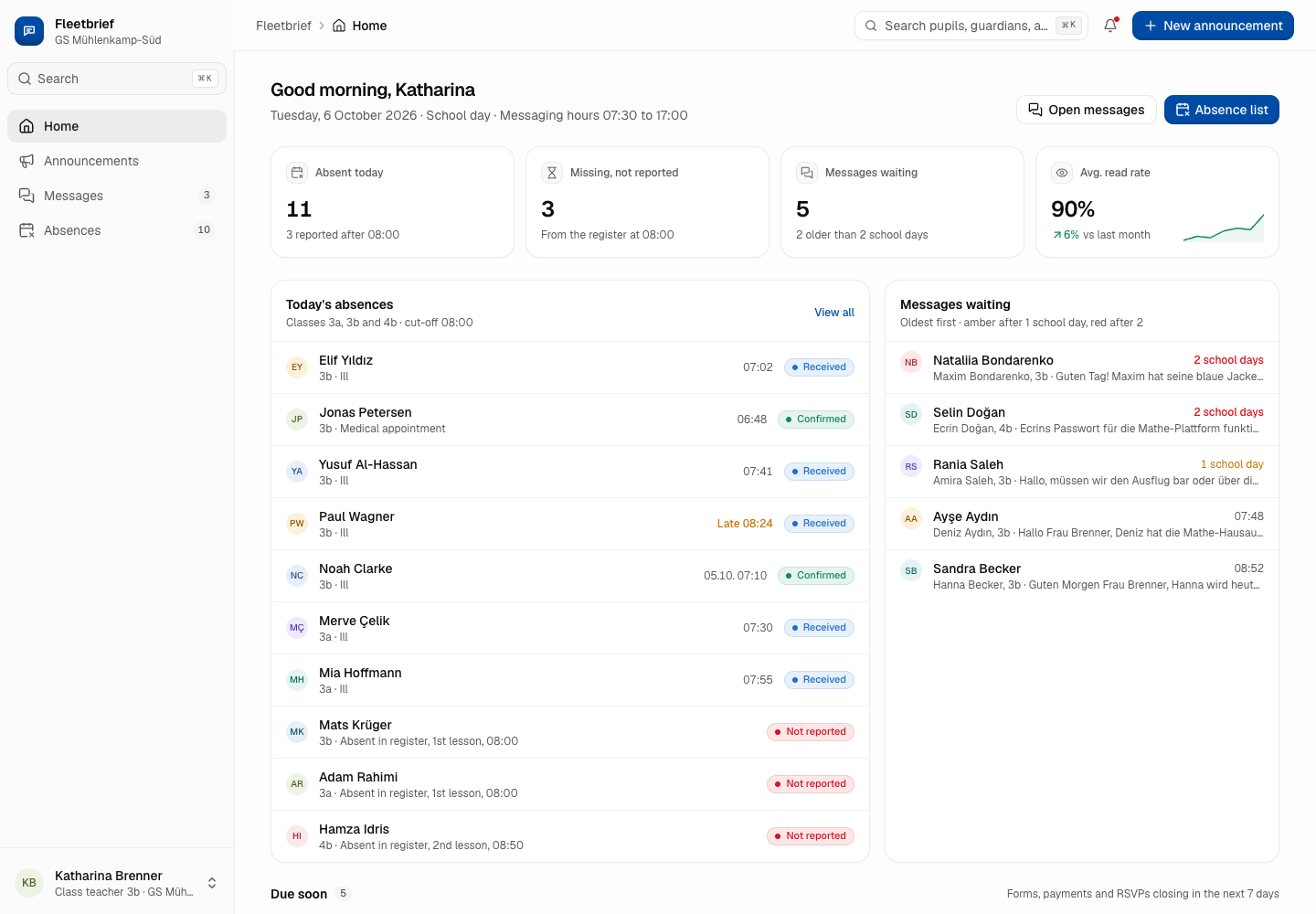
Fleetbrief - Parent Communication App in the Family's Language
Designed and built a clickable staff app for a Hamburg education office's parent communication platform: announcements with read receipts per guardian, the morning absence list against the register, and teacher messaging inside set hours - written in German and machine translated into Turkish, Arabic, Ukrainian and English, with the original always visible.
Enterprise Software Engineering - Human + AI
Contact Us
© 2026 - Copyright. All Rights reserved Oceanlab
Location
Global Headquarters
21 Merchant Road, 3rd Floor, Singapore 058267
Main corporate office and leadership operations
North America Office
548 Market Street, PMB 12345, San Francisco, CA 94104
Client operations and business development
India Office
402 Shivalik Shilp II, SG Highway, Ahmedabad 380015
Engineering and delivery center

Enterprise Software Engineering - Human + AI
Contact Us
Locations
Global Headquarters
21 Merchant Road, 3rd Floor, Singapore 058267
Main corporate office and leadership operations
North America Office
548 Market Street, PMB 12345, San Francisco, CA 94104
Client operations and business development
India Office
402 Shivalik Shilp II, SG Highway, Ahmedabad 380015
Engineering and delivery center
© 2026 - Copyright. All Rights reserved Oceanlab