Schaukasten - Cloud X-ray Viewer and Archive with Secure Sharing
Cloud Imaging Viewer for German Dental and Vet Practices
Designed and built a clickable cloud imaging viewer and archive for a Kassel software company serving German dental practices and vet clinics: one study list per patient or animal, a browser viewer with window/level, calibrated measurement and annotation, findings, and expiring PIN-protected links for referrers and owners.
Most of our work is under NDA. Per agreement, we can share the work but not the company details - all names and identifying information shown here have been changed.
Impact
Dashboard, studies worklist, patient detail, the full-screen viewer and shares. Every one of the 27 demo studies opens in the viewer, with the animal's prior studies ready to load side by side.
Lengths show in millimetres only when the image carries the detector's or probe's pixel spacing. Phosphor plate images are marked not calibrated and measure in pixels.
Shares expire after 1 to 30 days (14 by default), send a PIN by SMS and keep DICOM download off unless it is switched on. Every opening is logged with time, region and device.
Radiographs, ultrasound and dental X-rays for 18 animals and 12 owners, 10 findings, 13 shares, 5 referrers and 4 devices on 2 gateways across a main practice and a branch.
The Problem
Most of Veltmar's customers, about 1,300 dental practices and 350 vet clinics, ran the imaging software that came with their X-ray unit on one back-office PC. Intraoral, panoramic and CBCT images sat in three programs with three patient lists, images went to specialists as emailed JPEGs that broke professional secrecy and lost their calibration, nobody knew which records had passed their retention period, and a failed disk meant lost records.
Our Solution
Schaukasten gives each practice one archive hosted in Germany and a viewer that runs in any browser in the building. Images arrive from the devices through a small local gateway, staff read, measure and annotate them, record findings and the justifying indication for each exposure, and share studies through expiring links with a PIN, with every opening logged.
The Challenge: Images Under German Health Law
An X-ray in a German practice is a clinical record, a radiation protection record and, for people, health data under the GDPR. The same image has to be readable in seconds, kept for the right number of years and shared without breaking professional secrecy.
Every Exposure Needs a Record
The StrlSchG and StrlSchV require a justifying indication from a qualified practitioner for each X-ray exposure on a person, and the images kept, generally 10 years for adults and until age 28 for people examined as minors. Animal radiographs follow the vet's professional code and practice policy instead.
Sharing Without Breaking Secrecy
Dentists, vets and their staff are bound by § 203 StGB. Passing images to a referrer needs a lawful basis, an emailed JPEG is not a safe channel, and the vendor's own staff must not be able to open patient images by default.
A Viewer That Is a Medical Device
Software that displays images for diagnosis and measures them is generally a class IIa medical device under the EU MDR, and diagnostic displays are expected to pass DIN 6868-157 testing. Any screen that is not a tested display has to say so.
Two Practice Types, One Product
Dental tenants have people, FDI tooth numbers and CBCT volumes. Vet tenants have animals with owners and chip numbers, Triadan tooth numbers, radiographs and ultrasound clips. Both run the same certified build.
Our Approach: From Imaging Rules to a Clickable Viewer
Spec and Rules Research
Mapped 9 roles from practitioner, assistant and radiation protection officer to referrer, pet owner and Veltmar support, 39 screens across the practice app, the vendor ops console and two public link pages, and the data model for patients, owners, devices, gateways, studies, findings, reports, shares, retention rules, legal holds and an append-only access log. Wrote down the rules the design follows: StrlSchG and StrlSchV, § 630f BGB, GDPR and BDSG, § 203 StGB, EU MDR, DIN 6868-157, BSI C5 hosting and DICOMweb.
Clickable Demo on a Production UI Kit
Built 5 key screens for a vet tenant on a production dashboard kit: the dashboard with gateway and device health and a needs attention list, the studies worklist with indication and report filters, the patient detail with retention date, consents and access tab, the viewer with 1x1 to 2x2 layouts, window/level presets, measurement, arrows, key images, findings and DICOM tags, and shares with a new share panel. All actions run on local state.
What a Production Build Adds
The Orthanc-based local gateway, a Cornerstone3D viewer with CBCT slice viewing, PMS links to easyVET, Vetera, Dampsoft DS-Win, CGM Z1 or Evident, KIM messaging for dentists, STACKIT or IONOS hosting in two German data centres, SMS PINs and Keycloak two-factor sign-in. Plus a hash-chained audit log and the remaining screens: tooth chart, compare, report editor, consult view, import queue, archive with deletion runs, compliance, settings and the Veltmar ops console.
Why It Works: The Record Travels With the Image
Display Status Is Always Visible
The top bar shows Diagnostic display or Not a diagnostic display on every screen, including the viewer, so nobody mistakes a reception PC for a tested reading station.
Missing Indications Surface Early
The worklist shows each exposure's justifying indication as recorded, missing or not applicable, the dashboard counts the missing ones, and the study panel lets staff with recorded Fachkunde enter it before the report is finalised.
Annotations Never Touch the Image
Measurements, arrows and findings sit on their own layer with author and time, can be hidden with the patient overlay for teaching, and every opening of a study is written to its history.
Shares Need a Lawful Basis
A new share asks for co-treatment or recorded consent and warns when no matching consent is on file. The share list shows who opened each link and when, and links can be extended, re-PINned or revoked in one click.
Related case studies
View all: Veterinary & dental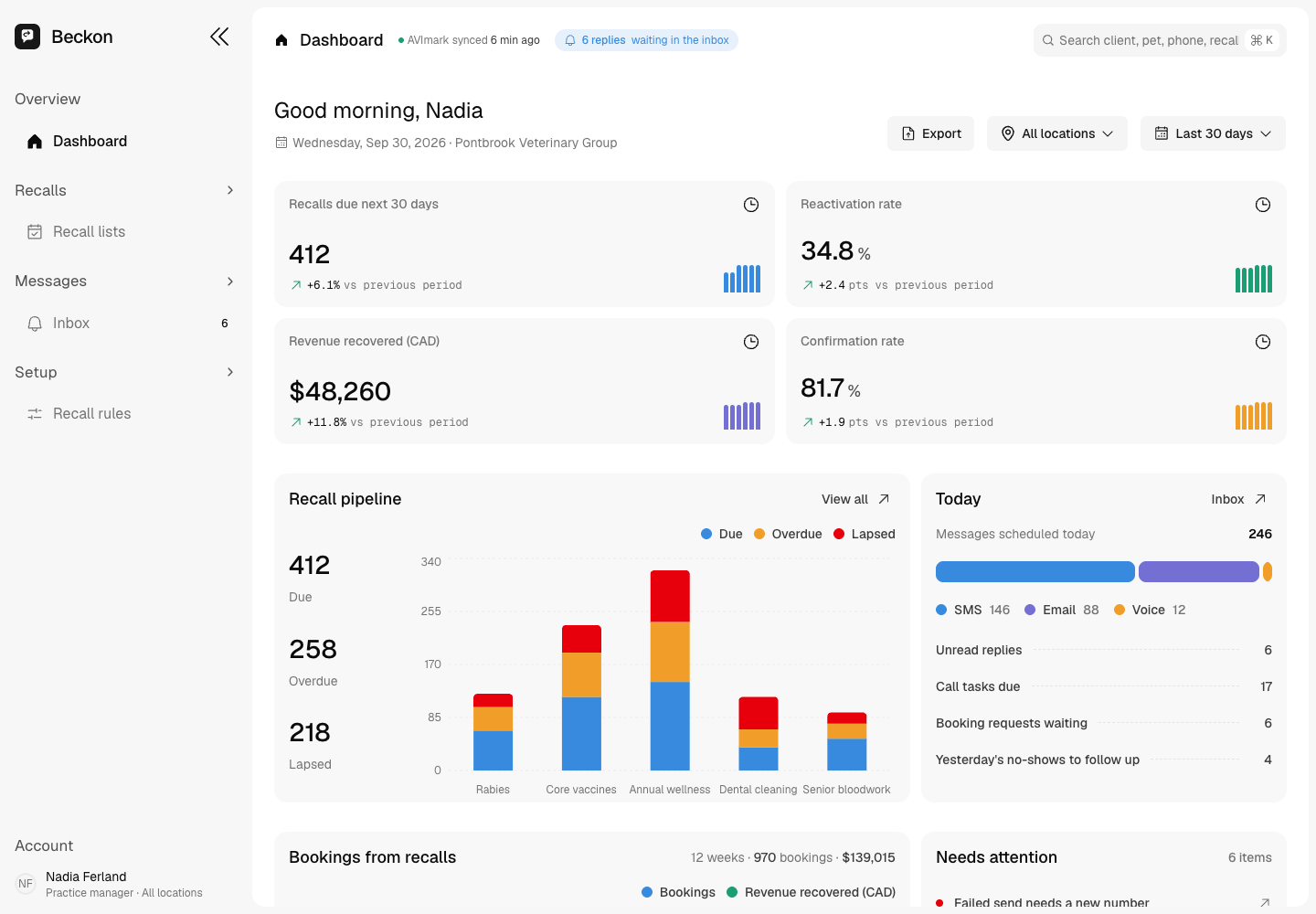
Beckon - Bilingual Recall and Rebooking Engine for Vet Clinics and Dental Practices
Designed and built a clickable recall and rebooking console for a Canadian SaaS company that serves independent vet clinics and dental practices: recall lists read from the practice management system, multi-step SMS, email and voice sequences, a two-way SMS inbox in English and French, and consent checked before every send.
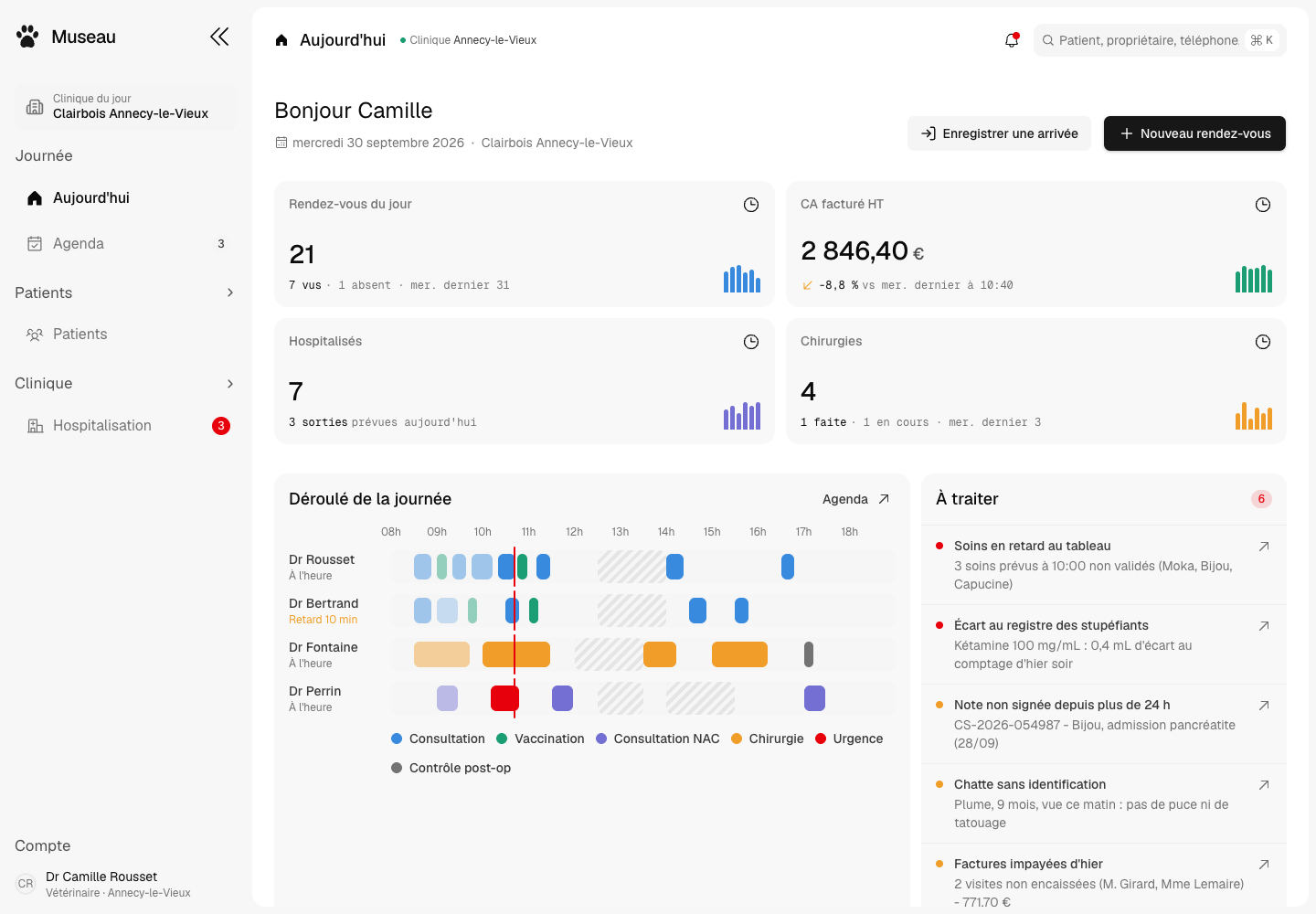
Museau - Practice Management for a 12-Clinic French Vet Group
Designed and built a clickable practice management system for a group of 12 companion-animal clinics in France: a dashboard of what needs handling today, the appointment book by vet and room, patient records shared across every clinic with I-CAD identification, and a 24-hour hospitalisation board where nurses tick off each treatment.
Enterprise Software Engineering - Human + AI
Contact Us
© 2026 - Copyright. All Rights reserved Oceanlab
Location
Global Headquarters
21 Merchant Road, 3rd Floor, Singapore 058267
Main corporate office and leadership operations
North America Office
548 Market Street, PMB 12345, San Francisco, CA 94104
Client operations and business development
India Office
402 Shivalik Shilp II, SG Highway, Ahmedabad 380015
Engineering and delivery center

Enterprise Software Engineering - Human + AI
Contact Us
Locations
Global Headquarters
21 Merchant Road, 3rd Floor, Singapore 058267
Main corporate office and leadership operations
North America Office
548 Market Street, PMB 12345, San Francisco, CA 94104
Client operations and business development
India Office
402 Shivalik Shilp II, SG Highway, Ahmedabad 380015
Engineering and delivery center
© 2026 - Copyright. All Rights reserved Oceanlab