Mothertongue - Community-Owned Language Revival Platform with Elder Council Approval
Language Revival Platform for a Yukon Community Language Trust
Designed and built a clickable trust console for a community language trust in Whitehorse: a content pipeline that turns elder recordings into lessons, words, stories and place names, consent tracked per recording and per use, and an elders' council review queue that must sign off before anything reaches learners.
Most of our work is under NDA. Per agreement, we can share the work but not the company details - all names and identifying information shown here have been changed.
Impact
Dashboard, content pipeline with board and table views, content item review, the elders' council review queue and the consent register. Each of the 24 demo content items opens its own review page.
Archive, app public, app community, schools, dictionary, research and broadcast, each consented, declined, not asked or withdrawn. A card cannot move to council review while a source recording lacks consent for its intended use.
Consent coverage, a second linguist's review, an English translation, TK or BC Labels where asked and the seasonal protocol. Publish stays disabled until every check passes and the elders' council has approved.
12 speakers across 3 dialects, 20 recordings, 24 content items in every stage, 18 consent records, 7 council members and 8 trust staff.
The Problem
For twenty years, elder recordings were made by university researchers, a radio station, teachers and family members, and many sit on hard drives in other cities under agreements the community never saw. The trust's own consent lived on paper forms in a filing cabinet, so nobody could say which recordings an elder had agreed could be used in a school, teachers built lessons from photocopies and voice memos, and learners had to find an elder in person to hear a word spoken.
Our Solution
Mothertongue keeps recordings under community control and traces every use back to an elder's consent. Content moves from draft through linguist and editor review to the elders' council, nothing is published without its approval, restricted material never leaves the archive, and the consent register shows every consent given, changed or withdrawn without ever overwriting history.
The Challenge: Revival Under Community Control
The trust's language has about 400 fluent speakers, nearly all of them elders. Every recording carries the speaker's wishes, the community's protocols and rights that outside copyright law may not protect, and the elders' council has the last word on what learners see.
Consent That Changes Over Time
An elder consents to each recording and to each use separately, can change or withdraw that consent at any time, and states what should happen after they pass. A withdrawal has to unpublish what depends on it, and the old consent record must stay on file.
Restricted and Sacred Material
Material the council marks restricted is never published, never packed for offline use and never sent to a device. Only named archive custodians can play it, and every play is logged.
Rights Copyright Does Not Cover
Under Canadian copyright law the maker and performer of a recording generally hold its rights, and collectively held stories and songs may not be protected at all. The design follows the OCAP and CARE principles and never treats a public recording as free to reuse.
Many Roles, One Approval Path
Fieldworkers, linguists, content editors, the elders' council, membership verifiers, custodians and school teachers all touch the same content, and schools, public learners and verified community members each see a different slice of it.
Our Approach: From Community Protocols to a Clickable Console
Spec and Rules Research
Mapped 12 user roles and 49 screens across the trust console, a tablet recording studio and a mobile learner app, plus the data model for speakers, consents, recordings, segments, content items, council decisions, offline packs and learners. Wrote down the rules the design follows: OCAP and CARE, PIPEDA-style practices, Yukon ATIPP for school data, Canadian copyright, Local Contexts Labels and the trust's own policies.
Clickable Demo on a Production UI Kit
Built 5 key screens of the trust console on a production dashboard kit: the dashboard with KPIs, pipeline by stage and elders recorded by dialect, the content pipeline board that refuses a council drop with the reason, the content item review with a learner preview and checks list, the council review queue in large text, and the speaker-by-use consent register. All actions run on local state.
What a Production Build Adds
The recording studio and learner app, master audio storage in a Canadian region, FFmpeg processing, ELAN and FLEx LIFT exchange, the Local Contexts Hub API, Mapbox offline tiles, school sign-in through Google Workspace for Education or Microsoft Entra ID, push, email and SMS. Plus custodian keys for restricted media, offline packs with revocation at next sync and a hash-chained audit log.
Why It Works: The Community Decides What Is Shared
Consent Is Checked Before Every Step
Each source recording shows a green, grey or red chip for every use, and the pipeline works out which uses an item needs from its access level, schools flag and type. A gap shows on the card, and a council drop is refused with the reason.
Built for Elders Reviewing Content
The council queue opens in large text with a big play button on each card and the text as learners will see it. Members approve, approve with conditions such as community only or winter only, ask for changes by voice or in writing, or hold an item for the session.
Access Levels Never Ambiguous
A Public, Community and Restricted legend sits in the top bar on every page. An item's effective access is the most restrictive of its own level and every recording it uses, and opening an item up sends it back to the council.
History Is Never Overwritten
The consent register shows each speaker by use with recording counts. A consent change creates a new record that supersedes the old one, and a gaps check confirms every clip in a published item is covered.
Related case studies
View all: Museums & heritage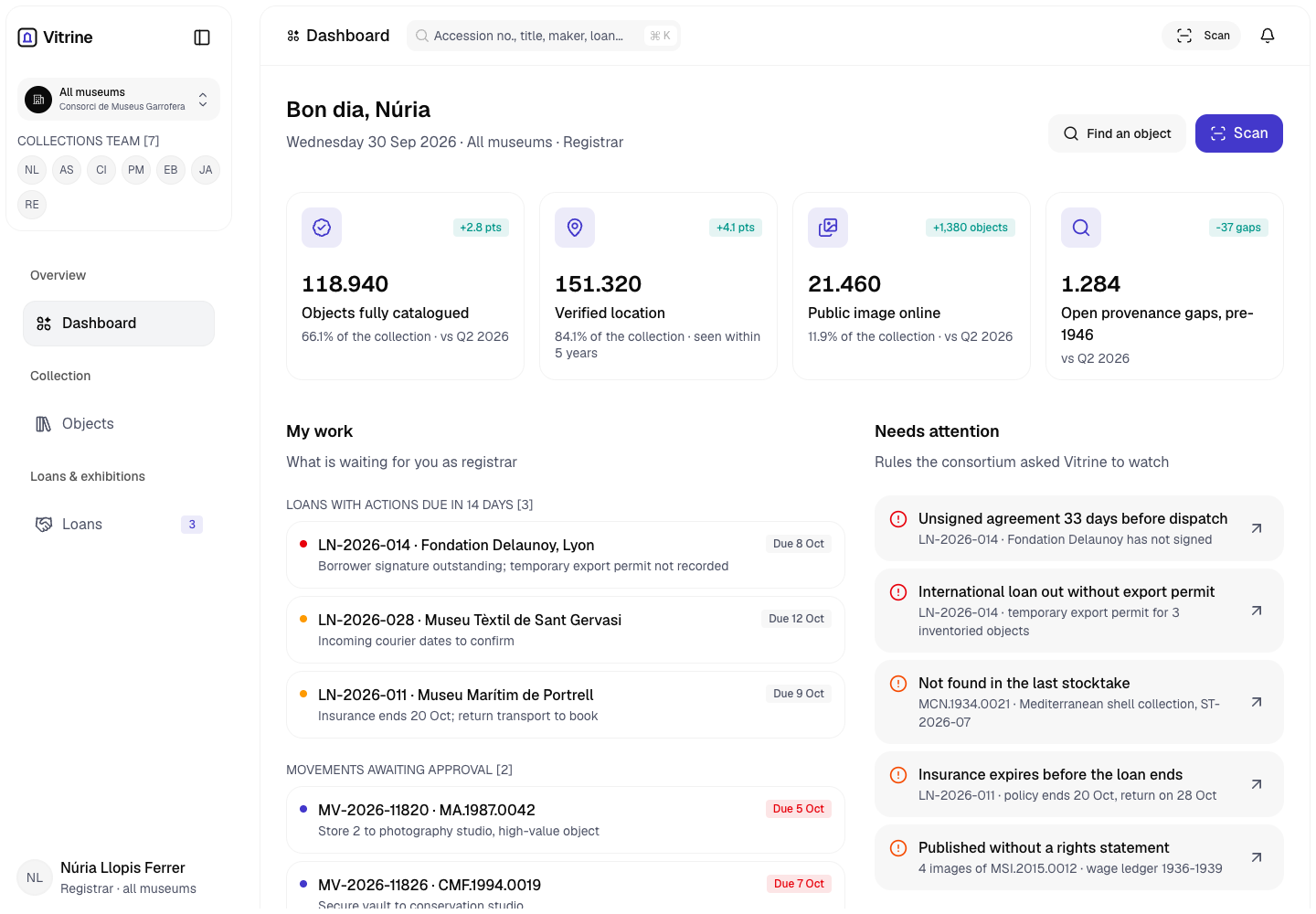
Vitrine - Collection Management System for Four Museums
Designed and built a clickable collection management system for a Valencian museum consortium with four museums and about 180,000 objects: one object record for catalogue, provenance, care and rights, verified locations, and loans that cannot be dispatched until agreements are signed and export permits are recorded.
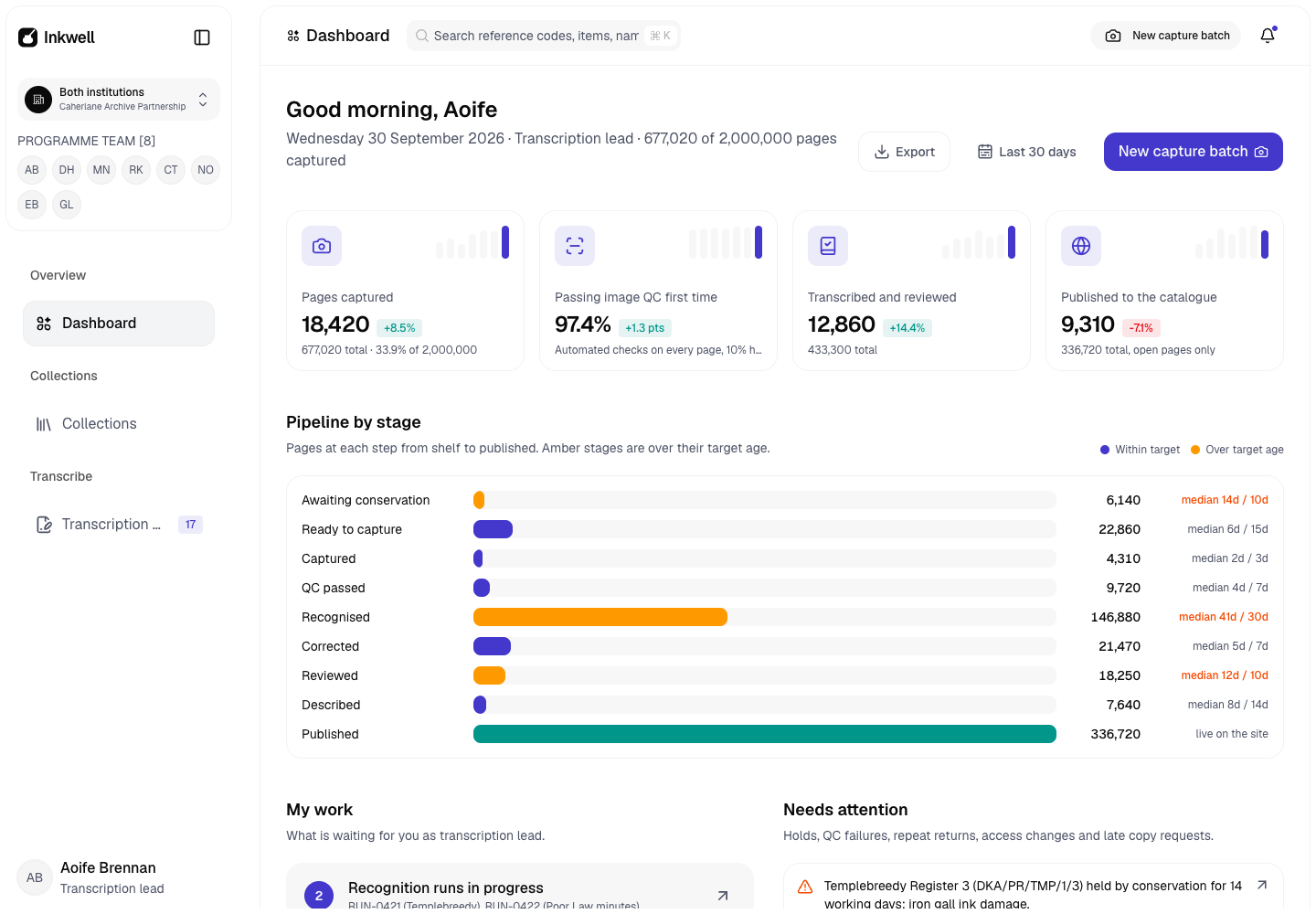
Inkwell - Archive Digitisation Platform with Handwriting Recognition and Volunteer Correction
Designed and built a clickable digitisation platform for a county record office and diocesan archive in Cork digitising about 2 million pages of parish registers, court rolls, estate papers and letters: one pipeline from shelf to published, handwriting recognition with a confidence score on every line, staff and volunteer correction, and closures that keep sensitive pages off the public site.
Enterprise Software Engineering - Human + AI
Contact Us
© 2026 - Copyright. All Rights reserved Oceanlab
Location
Global Headquarters
21 Merchant Road, 3rd Floor, Singapore 058267
Main corporate office and leadership operations
North America Office
548 Market Street, PMB 12345, San Francisco, CA 94104
Client operations and business development
India Office
402 Shivalik Shilp II, SG Highway, Ahmedabad 380015
Engineering and delivery center

Enterprise Software Engineering - Human + AI
Contact Us
Locations
Global Headquarters
21 Merchant Road, 3rd Floor, Singapore 058267
Main corporate office and leadership operations
North America Office
548 Market Street, PMB 12345, San Francisco, CA 94104
Client operations and business development
India Office
402 Shivalik Shilp II, SG Highway, Ahmedabad 380015
Engineering and delivery center
© 2026 - Copyright. All Rights reserved Oceanlab