Loipe - Finite Capacity Planning and Scheduling for a Make-to-Order Plant
Production Planning for an Austrian Kitchen Equipment Maker
Designed and built a clickable production planning system for a make-to-order maker of stainless steel commercial kitchen equipment in Graz: sales orders with projected finish and slack, a drag-and-drop schedule board on real work centre capacity, and capable-to-promise dates the plant can actually hit.
Most of our work is under NDA. Per agreement, we can share the work but not the company details - all names and identifying information shown here have been changed.
Impact
Dashboard, sales orders with a quick view panel, order detail with 5 tabs, the schedule board and capable-to-promise. Every one of the 25 sales orders opens its own detail page.
A drag is refused onto a work centre that is not a routing alternative, before now, before the predecessor finishes or after the successor starts. Frozen horizon, late material, overlaps and breakdowns show as warnings while dragging.
Capable-to-promise adds 2 working days to the earliest capable date (client policy), names the limiting work centre or material, and shows which orders would move for a high-priority slot.
25 sales orders for 12 customers, 28 scheduled work orders on 15 work centres, 9 products with routings and 15 materials, planned around a press brake breakdown, 2 maintenance windows and 2 material shortages.
The Problem
Murauen's two planners scheduled the plant on a large spreadsheet and a magnetic board next to the laser cells. The ERP assumed infinite capacity, so sales promised dates the plant could not hit. A press brake breakdown took most of a day to reschedule, nobody could see which orders would slip, and on-time delivery sat at about 78% (client's own figure) against a target of 95%.
Our Solution
Loipe takes sales orders from the ERP, explodes them through bills of materials and routings, checks material and schedules every operation against real work centre capacity. Planners shape the plan on a schedule board that checks each move, the order desk gets a capable-to-promise date before confirming, and every order shows its projected finish and slack.
The Challenge: Promising Dates on a Finite Shop Floor
Every Murauen order is built to order through laser cutting, press brakes, welding, finishing, assembly and testing. A promise to a hotel, hospital or school is only as good as the capacity, material and calendar behind it.
An ERP With Infinite Capacity
The ERP knew orders and stock but not how full the welding cells or press brakes were. Delivery dates were promised without a check against capacity, and welding was overloaded while assembly waited.
Disruptions Nobody Could Trace
When a press brake broke down, rescheduling took most of a day and nobody could see which customer orders would slip. Operators reported quantities on paper travellers that reached the office a day late.
Changeovers on Every Nest
Laser nests mixed sheet thicknesses and press brakes changed tooling far too often. Setup time depends on what ran before, so sequence and capacity have to be planned together.
Calendars Set by Law and Agreement
Shifts must follow the Arbeitszeitgesetz, the Arbeitsruhegesetz and the collective agreement, Austrian public holidays have zero capacity, and a system that can monitor staff performance generally needs a works council agreement under the ArbVG.
Our Approach: From Plant Rules to a Clickable Planning System
Spec and Rules Research
Mapped 8 user roles, from planner and order desk to shop-floor operator, and 28 screens: 25 in the planner console and 3 on shop-floor tablets, plus 4 slide-over panels and about 15 modals. Defined the data model for orders, BOMs, routings, work centres, calendars, schedule versions, scenarios, disruptions and production reports, and wrote down the rules the design follows: GDPR and the Austrian DSG, the ArbVG, AZG and ARG, ISO 9001 traceability and test bay scheduling for gas and electrical appliances.
Clickable Demo on a Production UI Kit
Built 5 key screens on a production dashboard kit: the dashboard with KPIs, load this week by work centre group and a needs-attention list, sales orders with slack colouring and an order quick view, order detail with lines, work orders, materials, date history and activity, the schedule board with drag and drop, dependency lines, conflicts and Run scheduler, and capable-to-promise with option cards and a before and after load chart. Operations are placed by a small forward scheduler and all actions run on local state.
What a Production Build Adds
The finite scheduling engine with setup-dependent sequencing, ERP integration (such as SAP S/4HANA or Microsoft Dynamics 365 Business Central), laser nesting software (such as TRUMPF TruTops or Bystronic BySoft), Microsoft Entra ID sign-in, Intune-managed shop-floor tablets with badge sign-in and offline reporting, Microsoft 365 notifications and Power BI export. Plus an append-only audit log and the remaining screens: release, materials, disruptions, scenarios, capacity, master data, reports and settings.
Why It Works: Every Move Checked Against the Plant
The Board Says Why Before You Drop
While an operation is dragged, the board shows each warning in words, such as late material with its arrival date or a work centre that is down. Drops that break precedence or leave the routing's alternatives are refused with the reason.
Slack on Every Order
Each order shows its promised date, projected finish from the published schedule and slack in working days: green over 3, amber 1 to 3 and red below 1. The order detail keeps a date history with the reason for every change.
Dates the Plant Can Keep
Capable-to-promise runs new lines on top of the published plan, adds the buffer, says what limits the date and lists the existing orders a high-priority slot would move, so the order desk promises with the trade-off in view.
A Stable Plan With One Publisher
The first 3 working days are frozen and planners work on a draft that goes to the planning lead to publish. The design keeps per-operator reporting off by default, behind a works agreement reference.
Related case studies
View all: Manufacturing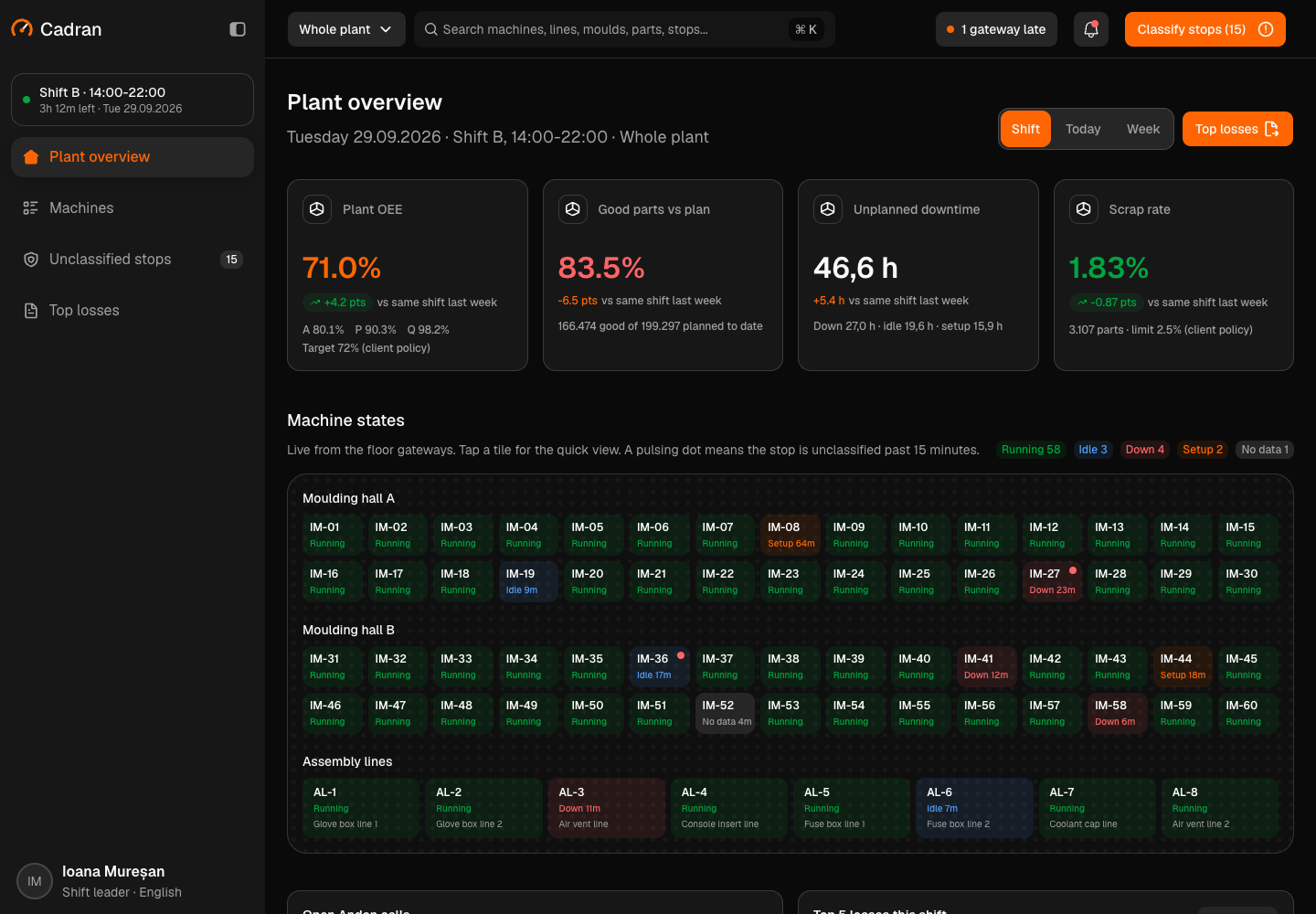
Cadran - Machine Telemetry and OEE Platform for an Injection Moulding Plant
Designed and built a clickable machine telemetry and OEE platform for a Romanian injection moulding and assembly plant that supplies automotive Tier 1 customers: live state of 60 moulding machines and 8 assembly lines, OEE with availability, performance and quality per machine, line and shift, a queue for clearing unclassified stops and a Pareto of top losses.
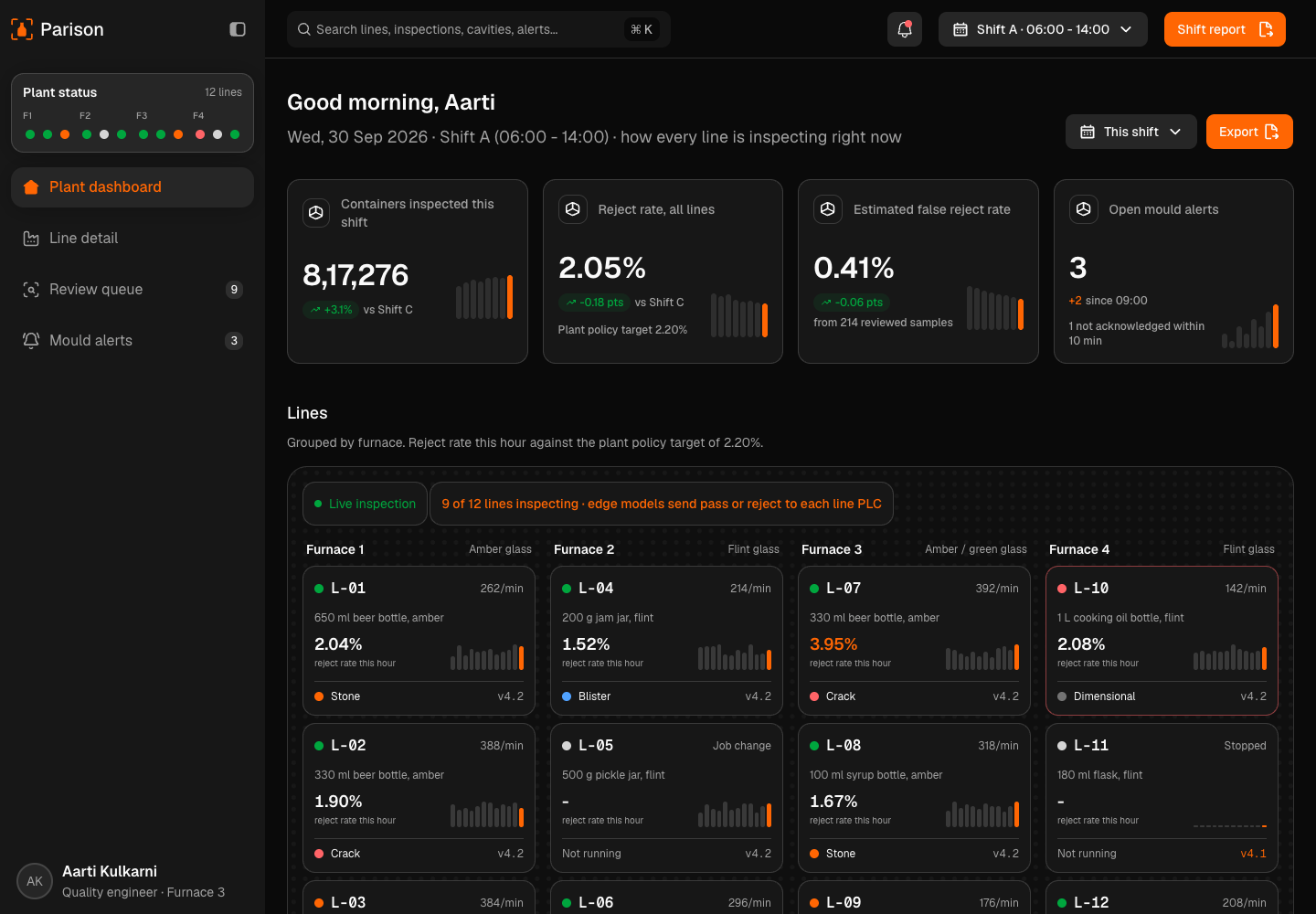
Parison - AI Visual Inspection for Glass Bottle and Jar Lines
Designed and built a clickable quality console for a glass container maker near Pune with 4 furnaces and 12 forming lines: cameras and edge models classify every bottle and jar at the cold end, uncertain images go to a person, rejects are traced to the mould cavity that made them, and every decision shows the rule behind it.
Enterprise Software Engineering - Human + AI
Contact Us
© 2026 - Copyright. All Rights reserved Oceanlab
Location
Global Headquarters
21 Merchant Road, 3rd Floor, Singapore 058267
Main corporate office and leadership operations
North America Office
548 Market Street, PMB 12345, San Francisco, CA 94104
Client operations and business development
India Office
402 Shivalik Shilp II, SG Highway, Ahmedabad 380015
Engineering and delivery center

Enterprise Software Engineering - Human + AI
Contact Us
Locations
Global Headquarters
21 Merchant Road, 3rd Floor, Singapore 058267
Main corporate office and leadership operations
North America Office
548 Market Street, PMB 12345, San Francisco, CA 94104
Client operations and business development
India Office
402 Shivalik Shilp II, SG Highway, Ahmedabad 380015
Engineering and delivery center
© 2026 - Copyright. All Rights reserved Oceanlab