Logbook - Training Records, Scheduling and Currency Tracking for a Flight School
Training Records Platform for a Spanish Flight School
Designed and built a clickable training records platform for an approved training organisation at Jerez Airport: every student's syllabus progress, documents and logbook in one record, a schedule board that checks each booking against the rules, and lesson records that are sealed once the instructor signs.
Most of our work is under NDA. Per agreement, we can share the work but not the company details - all names and identifying information shown here have been changed.
Impact
Dashboard, students, student detail with 7 tabs, the schedule board and lesson records with the lesson record viewer. Every one of the 24 demo students opens a full training record.
Student documents, instructor qualified for the aircraft class, lesson prerequisites, weather stage at the planned time, daylight and resource serviceable - each shown as pass, warn or fail.
A signed record carries its content hash and never changes. Corrections are amendments signed by the instructor and countersigned by the Chief Flight Instructor, with the original always visible.
116 lesson records (6 unsigned, 2 amended), 24 students on 5 courses with 118 syllabus lessons, 9 instructors, 12 aircraft, 4 simulators and 38 bookings over two days.
The Problem
Retinto kept its training records in ring binders, one per student, with bookings on a whiteboard and a spreadsheet. Instructors graded lessons from memory hours after landing, stage checks were recorded in two places that often disagreed, and nobody could say quickly who was ready for a skill test or whose medical expired next month. Twice a student was booked for a solo flight on an expired medical and was only stopped at dispatch.
Our Solution
Logbook holds each student's record from enrolment to the skill test recommendation: documents and expiries, progress through a versioned approved syllabus, bookings, competency grades, stage checks, theory results and a flight hours logbook built from signed lessons. Bookings are checked against documents, qualifications, prerequisites, weather, daylight and serviceability before they go on the board.
The Challenge: Training Records an Authority Will Audit
Retinto trains about 300 students a year for private and commercial aeroplane licences, on 22 aircraft and 4 simulators, under an approval from AESA. Every flight has to fit the student's syllabus, documents, stage and the weather, and every record has to stand up at inspection.
Records Spread Across Binders
Lessons were graded on paper long after the flight, stage checks lived in two places, and before each AESA audit the training office spent two weeks reconciling binders against the scheduling spreadsheet and the aircraft technical logs.
Expired Documents Caught Too Late
A student generally needs a valid medical certificate before flying solo, of the class their licence requires. With expiry dates in binders, an expired medical was found at dispatch rather than when the flight was booked.
Approved Syllabi and Record Keeping
Under the EU Aircrew Regulation, an ATO trains to approved programmes and keeps each student's training, progress checks and relevant expiry dates for a set retention period. A skill test recommendation needs every syllabus item signed, every stage check passed and theory results in place.
Health Data in a Training Record
Medical certificate data is health data, a special category under Article 9 of the GDPR, and Spain's LOPDGDD also applies. The record needs the class, dates and limitation codes, but never the medical findings.
Our Approach: From Training Rules to a Clickable Platform
Spec and Rules Research
Mapped 10 roles, from the Head of Training and stage check examiners to dispatch, the safety manager and students, and 46 screens across the staff web app, an instructor app and a student app. Defined the data model for students, documents, versioned syllabi, bookings, solo authorisations, dispatch, sealed lesson records, logbook entries and checks, and wrote down the rules the design follows: Part-FCL, Part-MED and Part-ORA, Regulation (EU) No 376/2014 on occurrence reporting, Regulation (EU) No 1321/2014 for maintenance handoff, the GDPR and the LOPDGDD.
Clickable Demo on a Production UI Kit
Built 5 key staff screens on a production dashboard kit: the dashboard with weekly KPIs, today's operations timeline, role-based work and needs-attention items; the student list with document and inactivity flags; the student detail with stage rail, syllabus tree, competency chart and logbook against programme minima; the schedule board with rule checks and conflict markers; and lesson records with the sealed record viewer and amendments. Actions run on local state.
What a Production Build Adds
Integrations for METAR and TAF weather (such as AEMET OpenData), ENAIRE NOTAMs, maintenance tracking handoff (such as CAMP Systems or Veryon), Spidertracks flight times, advanced electronic signatures, object-locked document storage, email, SMS and calendar feeds. Staff auth by role, a hash-chained audit log, retention confirmed with AESA, and the remaining screens, including dispatch, solo authorisations, safety reports and the instructor and student apps.
Why It Works: The Rules Run Before the Flight
Bookings Check Themselves
Each booking runs the same 6 checks, and a block that breaks one is ringed in red on the board with the reason. Maintenance, unserviceable aircraft and time after sunset are shaded, and a student's Blocks card says exactly what stops them being booked or dispatched.
A Signed Record Cannot Change
The viewer shows who signed and when, the times, time split, exercises, 1 to 5 competency grades and debrief. Any correction is an amendment with old and new values, a reason and two signatures, layered on top of the original.
Late Grading Is Visible
Lessons flown but unsigned turn amber after 24 hours and red after 72, a count badge sits on Lesson records in the sidebar, and the dashboard lists medicals, language proficiency and identity documents expiring within 30 days and simulator certificates expiring within 60.
One Record Per Student
The student detail brings together stages reached, the syllabus version in force, lesson status, latest grade per competency, checks, theory, documents and a logbook split by dual, solo, PIC, night, IFR and simulator time, totalled against the approved programme minima.
Related case studies
View all: Aviation & airports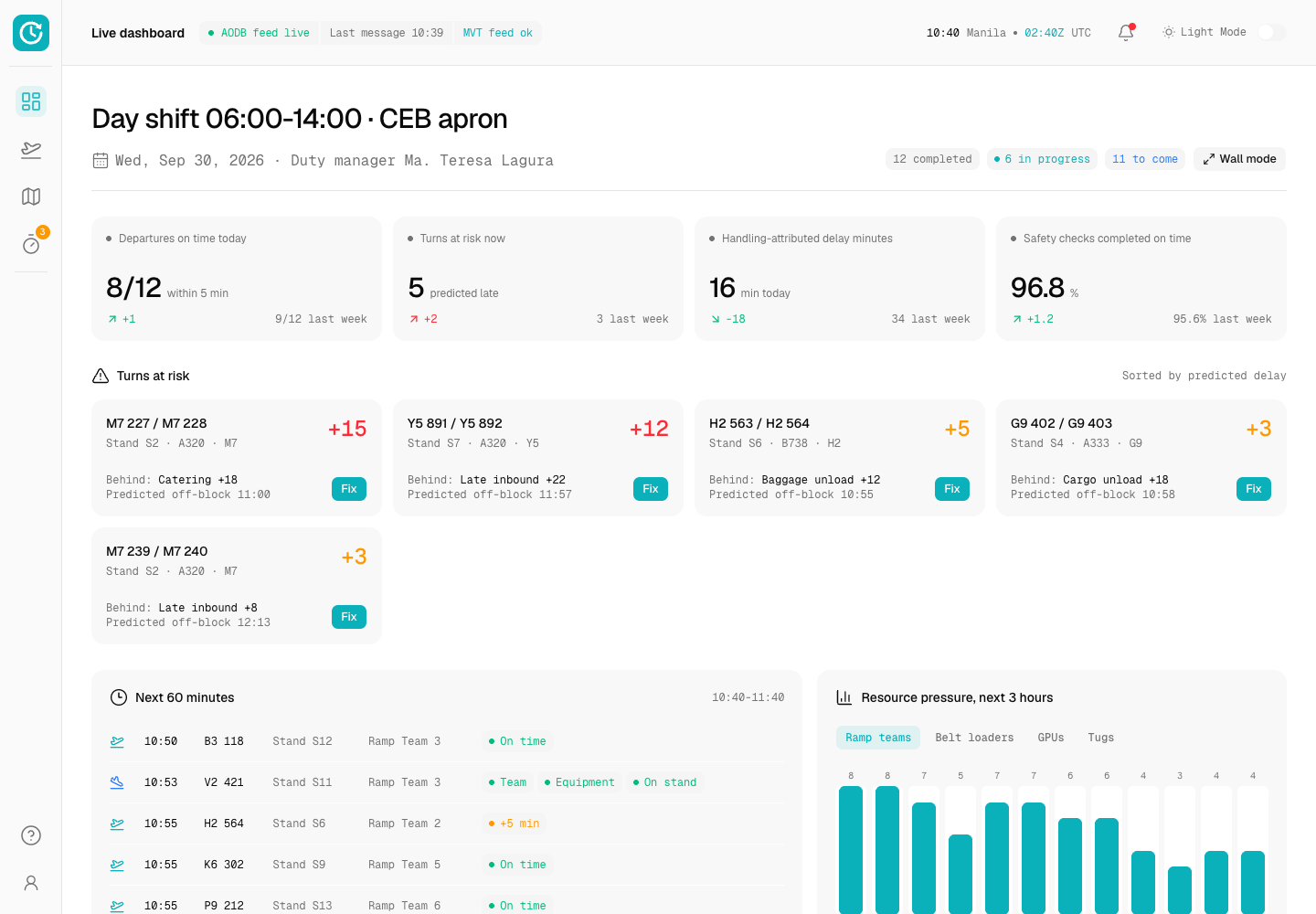
Turnaround - Turn Control Platform with a Live Milestone Timeline
Designed and built a clickable turn control console for a ground handler serving 14 airlines at a regional hub in Cebu: a live dashboard of turns at risk, a flight board fed by the airport, a minute-by-minute timeline for every turn with its critical path and predicted off-block, a delay coding queue and a stand map with equipment.
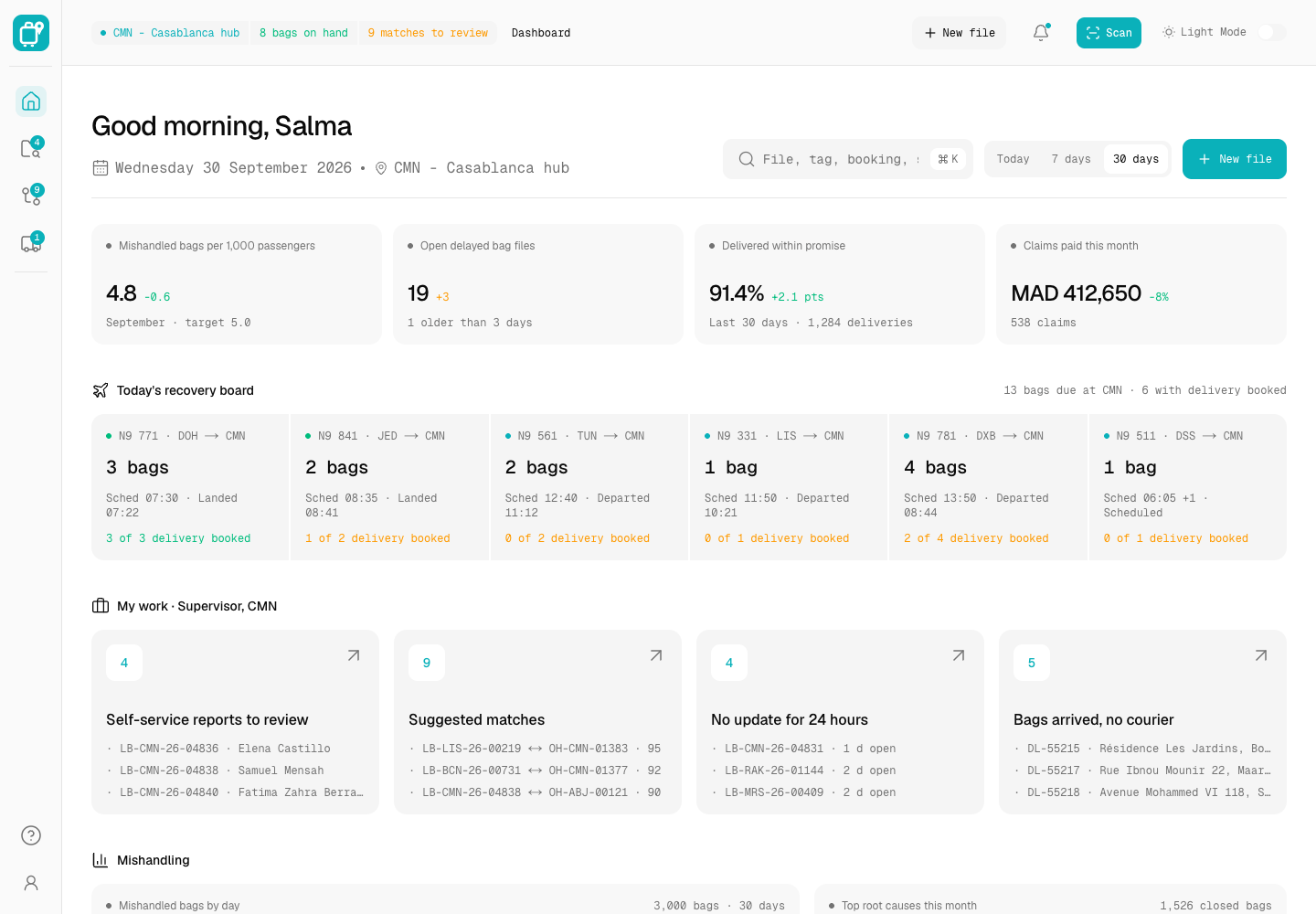
Lost Bag - Mishandled Baggage Tracing and Delivery Platform
Designed and built a clickable mishandled baggage platform for a Casablanca-based regional airline: baggage services agents work files that mirror WorldTracer, read each bag's scan history, confirm scored matches between open files and on-hand bags, and dispatch couriers against the delivery promise.
Enterprise Software Engineering - Human + AI
Contact Us
© 2026 - Copyright. All Rights reserved Oceanlab
Location
Global Headquarters
21 Merchant Road, 3rd Floor, Singapore 058267
Main corporate office and leadership operations
North America Office
548 Market Street, PMB 12345, San Francisco, CA 94104
Client operations and business development
India Office
402 Shivalik Shilp II, SG Highway, Ahmedabad 380015
Engineering and delivery center

Enterprise Software Engineering - Human + AI
Contact Us
Locations
Global Headquarters
21 Merchant Road, 3rd Floor, Singapore 058267
Main corporate office and leadership operations
North America Office
548 Market Street, PMB 12345, San Francisco, CA 94104
Client operations and business development
India Office
402 Shivalik Shilp II, SG Highway, Ahmedabad 380015
Engineering and delivery center
© 2026 - Copyright. All Rights reserved Oceanlab