Doorlist - Guest List, Table Booking and Door Platform with Live Capacity
Guest List and Door Platform for a Melbourne Club Group
Designed and built a clickable guest list and door platform for a Melbourne operator of four music venues and clubs: an events calendar across every venue, promoter lists with caps, table bookings with deposits and minimum spends, and a live ops board that counts every room against its licensed capacity.
Most of our work is under NDA. Per agreement, we can share the work but not the company details - all names and identifying information shown here have been changed.
Impact
Dashboard, events calendar with week and list views, event detail with 6 tabs, table bookings with the booking panel, and the live ops board for each of the 4 events running on the demo night.
Every room turns amber at 90% of its maximum and red at 97%, with a door hold banner. Holding a door or adjusting a count asks for a reason before it is applied.
Cancelling a table booking shows the result before confirming: a full deposit refund up to 72 hours before doors, after that the deposit is kept as credit for 90 days.
4 venues, 8 rooms, 7 entrances, 12 promoters, 24 tables, 26 table bookings and a live alerts feed, all on a Saturday night frozen at 11:40 pm.
The Problem
Wattleyard's four venues ran their doors from printed guest lists, promoters' WhatsApp messages, a ticketing partner's scanning app and a hand clicker. At the 1,800-capacity warehouse three entrances each kept their own count, so nobody knew the true number in the main room. Promoters disputed per-head payouts every week, refusals and incidents sat in a paper register, bans lived on one phone, and some door staff photographed IDs "just in case".
Our Solution
Doorlist covers a night from the promoter's first name on a list to the post-event report. Staff plan events across all four venues, manage promoter lists with caps and plus-ones, take table bookings with deposits and minimum spends, and watch every room's headcount against capacity on a live ops board, with entrances, devices, alerts, security on shift and the welfare contact in one place.
The Challenge: One True Count at Every Door
A late-night venue in Victoria runs on its liquor licence, its occupancy permit and its own door policy at once, across tickets, guest lists and tables, with staff working fast in the dark and a crowd that is still arriving.
Counts Split Across Entrances
Each room's maximum comes from the liquor licence and the building occupancy permit. With three entrances counting on their own and a hand clicker at the side door, the venue could not tell when a room was close to its limit.
Lists Nobody Could Reconcile
Promoters are paid per head from their own list, with caps, plus-ones and comps. Without a record of who came in through whose list, every payout turned into an argument.
Age Checks Without Keeping IDs
Supplying liquor to under 18s is an offence under the Liquor Control Reform Act 1998 (Vic), so licensees check evidence of age. Under the Australian Privacy Principles the group should hold only what each step needs, which rules out photos of IDs.
Safety Records That Hold Up
Crowd controllers need a current licence under the Private Security Act 2004 (Vic), refusal reasons cannot touch attributes protected by the Equal Opportunity Act 2010 (Vic), and patrons need a private way to report harassment during the night.
Our Approach: From Door Rules to a Clickable Platform
Spec and Rules Research
Mapped 12 roles from group ops manager to door staff, welfare officer, promoter and guest, 43 screens across staff web, door app, promoter portal and public guest pages, and the data model for events, rooms, lists, tickets, tables, admissions, count events, refusals, bans, incidents and welfare reports. Wrote down the rules the design follows: the Privacy Act 1988 and APPs, Victorian liquor, security licensing and equal opportunity law, RSA records and the positive duty to prevent sexual harassment.
Clickable Demo on a Production UI Kit
Built 5 key staff screens on a production dashboard kit, dark by default for night work: the dashboard with tonight's cards, KPIs and needs attention, the events calendar with duplicate and cancel, event detail with guest lists, floor plan, tickets and door tabs, table bookings with deposit links, seating, shortfalls and cancellation, and the live ops board with door holds and count adjustments. A venue switcher filters the dashboard, calendar and bookings, and all actions run on local state.
What a Production Build Adds
The offline-tolerant door app on phones and Zebra handhelds, the promoter portal and public signup, pass, booking and safe space pages. Ticket imports from Moshtix, Oztix, DICE, Eventbrite and Resident Advisor, Stripe hosted checkout for deposits, POS spend from Lightspeed or Square, SMS and email, Deputy or Tanda rosters and Xero payouts. Staff auth by role with a device PIN, an audit log, and licence conditions confirmed with the Victorian Liquor Commission.
Why It Works: Capacity First, Privacy by Design
Every Room Against Its Limit
Headcount shows per room and per venue with in and out counts for the last 15 minutes and a trend for the night. Each room's maximum is labelled with its source, licence or occupancy permit, and the sidebar's Live now strip keeps all four venues in view.
Counts Built From Events
In the data model the headcount is the sum of in and out count events, never a single number someone can overwrite. Corrections such as "clicker missed 12 at Side Door" are added as their own event with a reason and a name.
Devices and Alerts in One Feed
Each entrance lists its devices with last sync time and queued actions, so an offline scanner shows up at once. Capacity thresholds, duplicate scans, possible ban matches, new incidents and welfare reports arrive in one alerts feed, with welfare detail restricted.
Age Checked, ID Not Kept
Doorlist records only that an ID was checked, how and whether the person was 18 or over. It never stores the ID image, document number, date of birth or address, and deposits are held as payment tokens, never card numbers.
Related case studies
View all: Venues & nightlife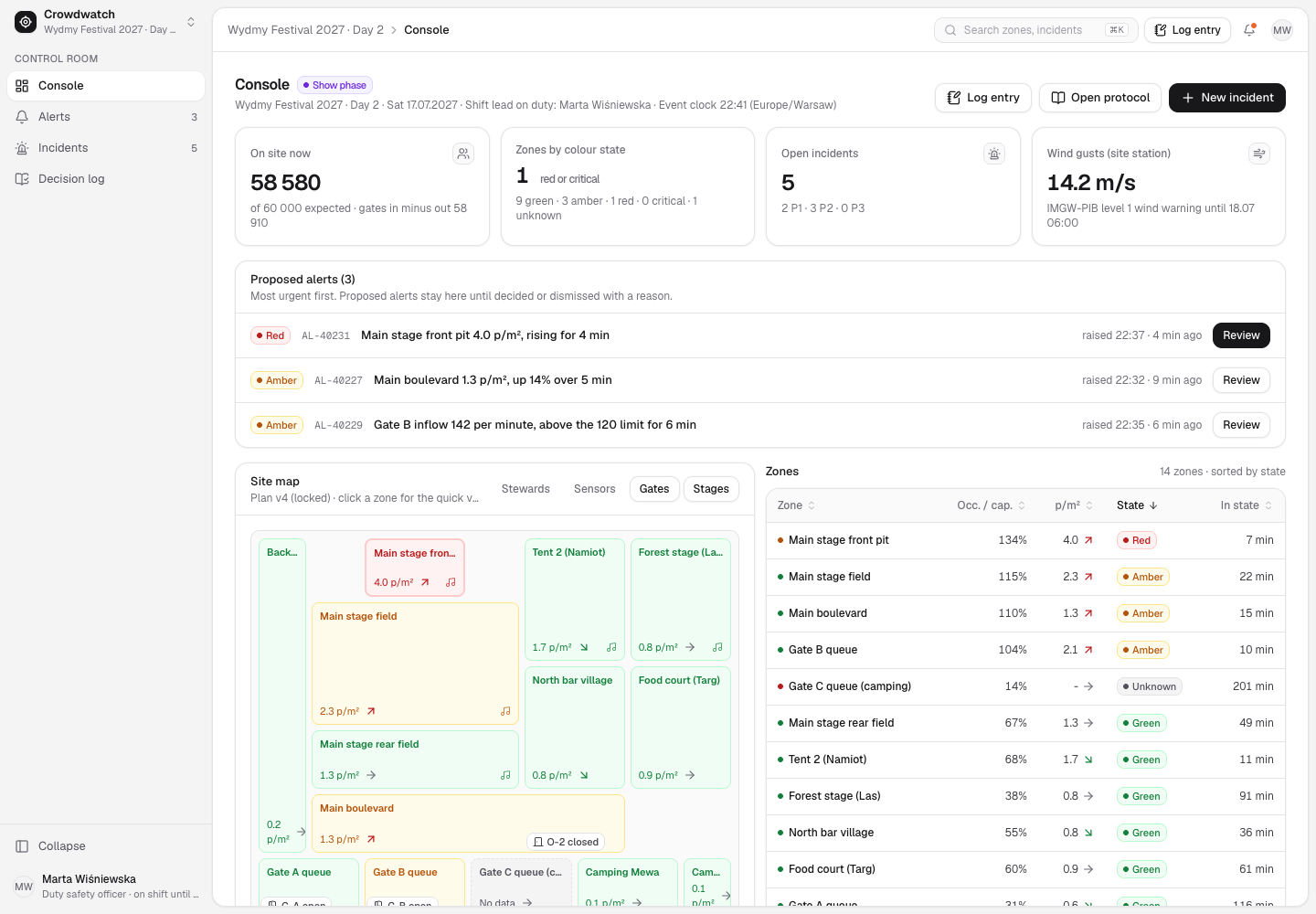
Crowdwatch - Festival Crowd Safety Control Room Where People Make Every Call
Designed and built a clickable control room for a Gdynia festival organiser running a 60,000-a-day coastal festival: live crowd density per zone from counts-only sensors, alerts that a duty safety officer must decide, incidents from first report to closure, and an append-only decision log for the debrief with police and the city.
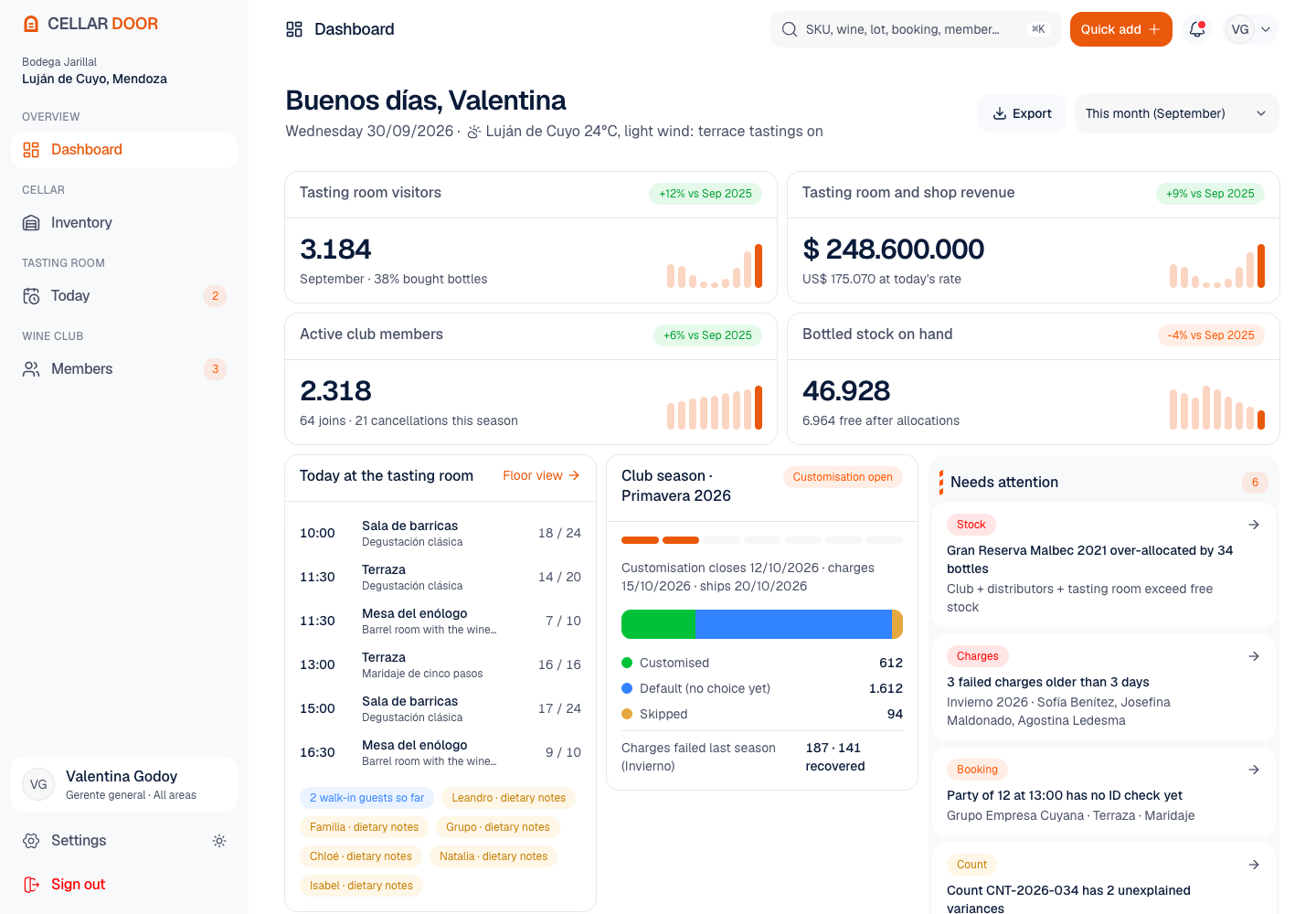
Cellar Door - Cellar Stock, Tasting Room and Wine Club Platform
Designed and built a clickable staff console for a family winery in Mendoza: cellar stock by SKU, lot and vintage with every bottle promised to the club or a distributor counted against it, a tasting room floor view with an age check for each tasting adult, and a wine club with tiers, seasonal shipments and failed card charges in one place.
Enterprise Software Engineering - Human + AI
Contact Us
© 2026 - Copyright. All Rights reserved Oceanlab
Location
Global Headquarters
21 Merchant Road, 3rd Floor, Singapore 058267
Main corporate office and leadership operations
North America Office
548 Market Street, PMB 12345, San Francisco, CA 94104
Client operations and business development
India Office
402 Shivalik Shilp II, SG Highway, Ahmedabad 380015
Engineering and delivery center

Enterprise Software Engineering - Human + AI
Contact Us
Locations
Global Headquarters
21 Merchant Road, 3rd Floor, Singapore 058267
Main corporate office and leadership operations
North America Office
548 Market Street, PMB 12345, San Francisco, CA 94104
Client operations and business development
India Office
402 Shivalik Shilp II, SG Highway, Ahmedabad 380015
Engineering and delivery center
© 2026 - Copyright. All Rights reserved Oceanlab