Coulee - Commission Calculator with a Traceable Number on Every Payout Line
Incentive Compensation Platform for a Calgary SaaS Sales Team
Designed and built a clickable commission calculator for a Calgary SaaS company with sales staff in Canada and the US: a monthly close tracker, calculation runs with a full trace behind every payout line, one approvals inbox, and a dispute queue that ages each question a rep raises about their pay.
Most of our work is under NDA. Per agreement, we can share the work but not the company details - all names and identifying information shown here have been changed.
Impact
Dashboard with a 7-step close tracker, calculation runs, run detail with the calculation trace panel, the approvals inbox and the dispute queue with its dispute drawer.
Quarterly attainment pays at 0.5x under 50%, 1.0x to 100%, 1.5x to 150% and 2.0x above. Each dollar pays at the tier it falls in, and the trace shows which one.
A clawback is offset against future commission at no more than 50% of a payout, and only after sales operations and the finance controller approve it.
24 payees across 5 teams paid in CAD and USD, 7 plans, 12 calculation runs, 15 approvals and 14 disputes, with a generated trace for every payout line.
The Problem
Elbow Crest calculated commissions for about 70 people on variable pay in a 40-tab spreadsheet owned by one sales operations analyst, matching CRM opportunities to paid invoices by hand. Reps kept shadow spreadsheets because they could not see how a number was reached, about one statement in six was disputed, clawbacks happened only when someone remembered, and the commission close took 8 working days.
Our Solution
Coulee runs the monthly commission close from synced data to paid. Every run computes each payee's lines from their plan version, every line opens a calculation trace with its inputs, plan clause and formula, and payouts, recoveries and quota changes move through one approvals inbox with a fixed chain.
The Challenge: Paying Commission People Can Check
Commission pay at Elbow Crest crosses two countries, two currencies, five kinds of role and two accounting standards, and every rep has a different plan, quota and set of deals behind their number.
Numbers Nobody Could Explain
Splits, tiers and USD deals converted at the wrong rate drove most disputes. A rep had no way to see which deals were credited, at what rate and tier, or why a payout changed from last month.
Recoveries Inside Wage Rules
Under Alberta's Employment Standards Code, deductions from earnings are generally restricted to those required by law or authorised in writing. Whether a clawback or draw can be taken back depends on the plan wording, so the product must never deduct on its own.
Signed Plans for Every Payee
Some US states require commission agreements in writing; California's Labor Code section 2751 requires a signed contract that sets out how commissions are calculated. Auditors asked two years running which plan version each rep had actually signed.
Commission as a Contract Cost
Under ASC 340-40 and IFRS 15, commissions paid only because a contract was signed are generally capitalised and amortised. Finance rebuilt the deferred commission asset from scratch at every quarter end.
Our Approach: From Comp Plan Rules to a Clickable Close
Spec and Rules Research
Mapped 9 user roles from rep to auditor, 40 screens (34 staff and 6 mobile-first rep app screens) and the data model for plans, quotas, SPIFs, credited transactions, runs, payout lines, approvals, recoveries, draws and disputes. Wrote down the rules the design follows: Alberta wage and deduction rules, US written commission plans, ASC 340-40 and IFRS 15 contract costs, and employee privacy under Alberta PIPA, PIPEDA and the CCPA.
Clickable Demo on a Production UI Kit
Built 5 key screens on a production dashboard kit: the dashboard with close tracker, KPIs, blocking items, attainment histogram and payout by component; the runs table with run comparison; run detail with per-currency totals, a variance check, payout lines and the calculation trace; the approvals inbox; and disputes with working-day ageing. Recalculate, adjust, hold, approve and resolve all run on local state.
What a Production Build Adds
Integrations with the CRM (Salesforce or HubSpot), billing (Stripe Billing, Chargebee or Zuora), the HRIS, DocuSign plan e-signature, Bank of Canada exchange rates, payroll files per employing entity and general ledger journals, plus Okta or Google sign-in and Slack and email alerts. The plan builder, quotas, SPIFs, crediting exceptions, recoveries, the capitalisation and amortisation schedule, the rep app and an append-only audit log.
Why It Works: Every Number Can Be Recomputed
A Trace Behind Every Line
Any payout line opens a panel with the credited deal, plan version and clause, rate, tier, multiplier and FX rate, and the formula with the numbers filled in. USD deals convert at the FY2026 plan rate of 1.35, stated on screen.
The Close Shows What Blocks It
The dashboard tracks 7 close steps against Elbow Crest's target of a payroll file by working day 6, and lists what holds it up: unsigned plans, crediting exceptions, deals with no invoice and sync errors. Payees without a signed plan have their lines held.
A Second Look Before Approval
Run detail flags any payee whose payable changed by more than 50% or CAD 5,000 from last month, along with first payouts, open disputes and amounts over approval limits. A person cannot approve their own pay or a change they requested.
Disputes With a Clock
Each dispute carries its statement line, category and amount claimed, and its age in working days turns amber after 5 and red after 10. Resolving one creates an adjustment for the next run that follows the normal approvals.
Related case studies
View all: Sales & CRM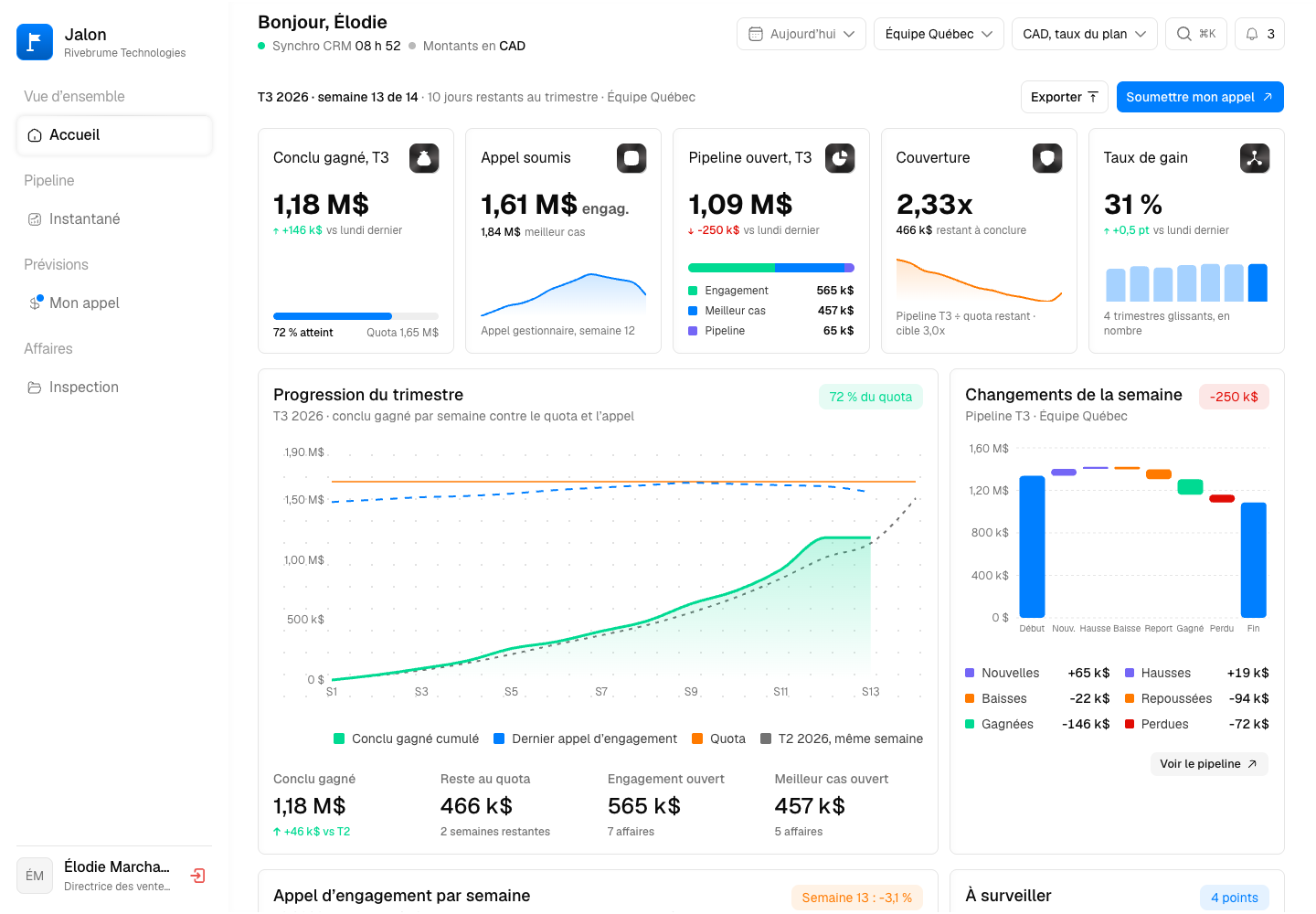
Jalon - Pipeline Analytics and Forecast Calls Built on Nightly Snapshots
Designed and built a clickable, French-first pipeline analytics product for a Montreal company selling transportation, dock scheduling and yard management software: pipeline as it stood on any past date, weekly forecast calls that roll up from rep to CRO, push and risk detection, and deal inspection for the weekly review.
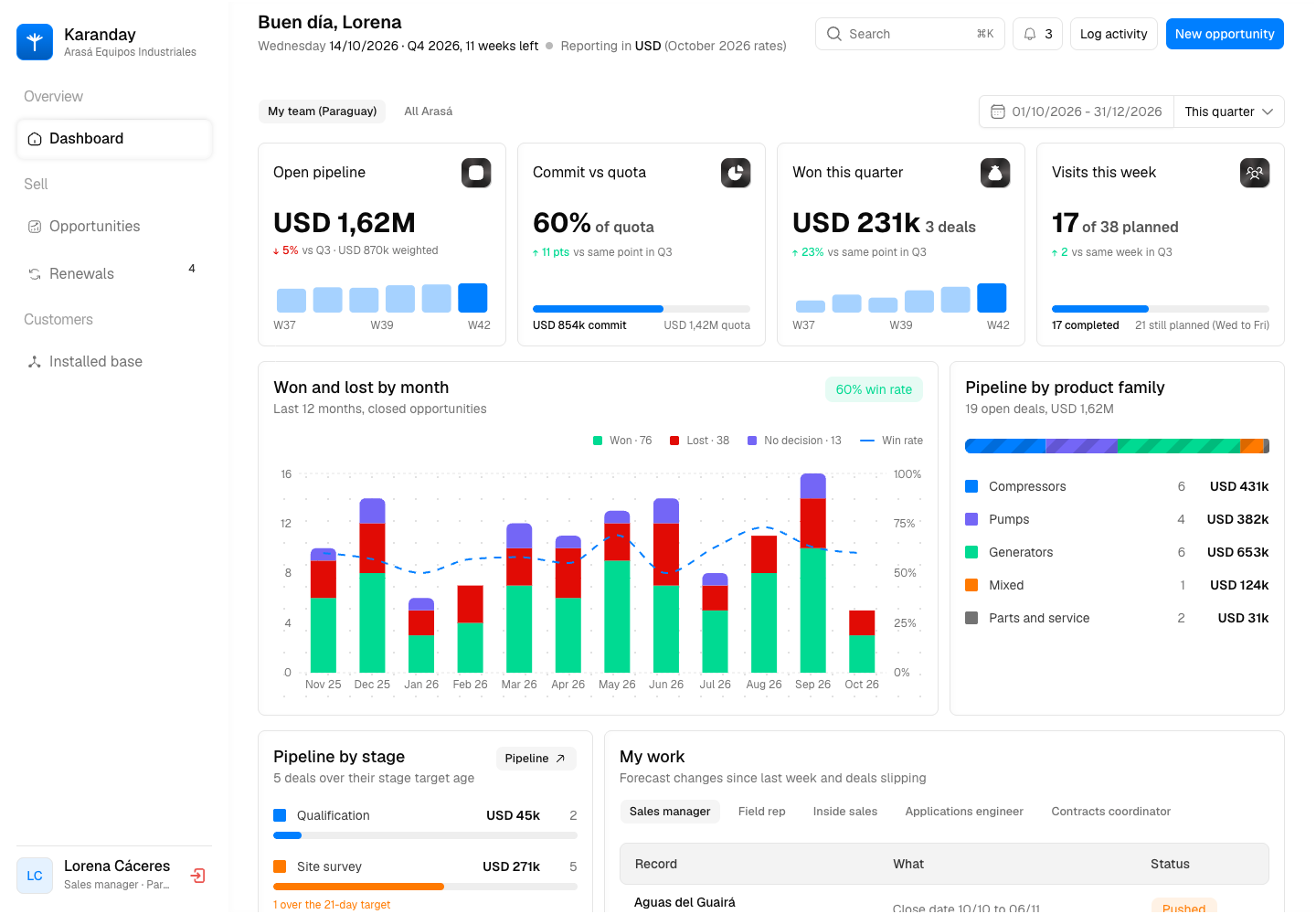
Karanday - Custom CRM for Industrial Equipment Sales and Service Renewals
Designed and built a clickable CRM for an Asunción distributor of compressors, pumps and generators selling across Paraguay and southern Brazil: a pipeline whose stages follow how capital equipment is really sold, opportunity detail with technical sizing and CPQ quote hand-offs, a service contract renewals pipeline and an installed base that flags units due for replacement.
Enterprise Software Engineering - Human + AI
Contact Us
© 2026 - Copyright. All Rights reserved Oceanlab
Location
Global Headquarters
21 Merchant Road, 3rd Floor, Singapore 058267
Main corporate office and leadership operations
North America Office
548 Market Street, PMB 12345, San Francisco, CA 94104
Client operations and business development
India Office
402 Shivalik Shilp II, SG Highway, Ahmedabad 380015
Engineering and delivery center

Enterprise Software Engineering - Human + AI
Contact Us
Locations
Global Headquarters
21 Merchant Road, 3rd Floor, Singapore 058267
Main corporate office and leadership operations
North America Office
548 Market Street, PMB 12345, San Francisco, CA 94104
Client operations and business development
India Office
402 Shivalik Shilp II, SG Highway, Ahmedabad 380015
Engineering and delivery center
© 2026 - Copyright. All Rights reserved Oceanlab