Chinampa - Cohort Learning Platform for Live, Instructor-Led Courses
Cohort Operations Platform for a Mexican Online School
Designed and built a clickable staff console for a Mexico City online school that runs live cohort courses for learners across Latin America, Spain and the US: cohort health at a glance, every session in each learner's local time, an admissions queue with scoring and interviews, and a learners at risk list that flags who is falling behind before they drop out.
Most of our work is under NDA. Per agreement, we can share the work but not the company details - all names and identifying information shown here have been changed.
Impact
Operations dashboard, cohorts list, cohort detail with 6 tabs, admissions queue with its application panel, and learners at risk. Each of the 13 demo cohorts opens its own detail page.
2 missed sessions in a row with recordings not watched, 2 missing assignments, no activity for 10 days, low peer review scores, a learner asking for help, and access paused after a payment grace period. Each flag shows the sessions or messages behind it.
Sessions show Mexico City time plus Bogotá, Austin and Madrid, with next-day starts marked. The cohort calendar flags Mexican public holidays and the weeks Spain and the US change their clocks.
13 cohorts across 3 programs, 24 applications at every admission stage, 32 risk flags with outreach history and 17 staff across 6 roles.
The Problem
Tezontle grew from one product management course to twelve cohorts a quarter on a patchwork: a form tool for applications, a shared calendar for interviews, a payment link per learner, meeting links pasted into chat groups, recordings in a cloud folder and assignments in a spreadsheet. Program managers converted session times by hand for learners in Bogotá, Madrid and Austin and still sent the wrong time twice a quarter, and nobody noticed a learner falling behind until they asked for a refund in week five. Completion was around 58% and nobody could say which week learners dropped out, or why.
Our Solution
Chinampa runs the whole cohort on one calendar: admissions and interviews, payment plans and scholarships, live sessions and recordings, assignments with peer review, pods, a capstone at demo day and a verifiable certificate. Staff see every cohort's attendance, submissions and open risk flags in one console, every time is shown in the viewer's own zone, and TAs get a list of learners to contact with the reason each one was flagged.
The Challenge: Learning Together Across Time Zones
A cohort course only works if people show up together each week. That means one fixed calendar for learners in a dozen countries, a seat count that admissions, payments and the waitlist all change, and a team of instructors and TAs who need to spot a learner going quiet in week two, not week five.
One Calendar, Many Clocks
Sessions are set in Mexico City time, which no longer observes daylight saving, while learners in the United States, Spain and Chile still change their clocks. A fixed 19:00 class moves for them mid-course, and an evening session in Mexico can fall in the middle of the night in Madrid.
Seats, Offers and Waitlists
Selective cohorts take applications, scores and a short interview before an offer. Admitted learners hold a seat until they pay, caps run from 25 to 60, and a waitlist only works if staff can see held offers and open seats in the same place.
Dropouts Seen Too Late
Missed sessions, unwatched recordings, missing assignments and silence in the discussion lived in different tools, so no one connected them. The first signal was often a refund request, by which point the learner was already gone.
Sensitive Data and Paid Courses
Interview notes, session recordings of learners' image and voice, and scholarship income details are personal data under Mexico's 2025 data protection law. Courses sold to individuals fall under consumer protection rules overseen by PROFECO, and sales generally need CFDI electronic invoices.
Our Approach: From Cohort Calendar to a Clickable Console
Spec and Rules Research
Mapped 10 user roles and 60 screens across the public site, the learner app, the teaching workspace and the operations console, plus the data model for programs, cohorts, sessions, attendance, submissions, pods, payment plans, scholarships, risk flags and certificates. Wrote down the rules the design follows: Mexico's 2025 personal data law and ARCO rights, consumer protection, CFDI invoicing, UTC storage with each viewer's local time, WCAG 2.2 AA, and Tezontle's own policies for attendance, completion and refunds.
Clickable Demo on a Production UI Kit
Built 5 key staff screens on a production dashboard kit: the operations dashboard with KPIs, cohort engagement by week, seats in upcoming cohorts and needs attention cards; the cohorts list with sessions in four zones; cohort detail with an audited cap change, a calendar with holiday and clock-change notes, enrolment with held offers and the waitlist; the admissions queue with scores, interview notes and fixed decline reasons; and learners at risk with outreach logging, snooze and resolve. All actions run on local state.
What a Production Build Adds
The learner app and the rest of the teaching workspace, integration with a video provider for live rooms and recordings (such as Zoom Video SDK or Daily), Stripe or Conekta for cards, meses sin intereses, OXXO and SPEI, a SAT-authorised PAC for CFDI invoices and credit notes, captions and transcripts, calendar sync, email and opt-in WhatsApp reminders, Open Badges 3.0 certificates, staff auth by role and an append-only audit log, with counsel confirming the data protection and consumer rules.
Why It Works: Built Around the Week, Not the Course Library
Every Time in the Viewer's Zone
Sessions are stored in UTC with the cohort's home zone. Staff can switch their display between local and Mexico City time, applicants whose sessions would fall between 23:00 and 06:00 locally are marked with a late-night clash, and holidays and clock changes show on the session they affect.
Risk Flags Explain Themselves
Each flag names its rule, shows the evidence such as the two sessions missed or the last sign-in date, and sits next to the learner's progress against the certificate rules. TAs log a call, message or office hours visit, snooze with a reason, or offer a deferral to a later cohort.
Seats Counted the Same Everywhere
Enrolled learners, offers still on hold and the waitlist show together on the cohorts list, the dashboard donut and the cohort's Enrolment tab. Offer seat works from the waitlist in order, and a cap change is kept within 25 to 60 and written to the audit log.
Sensitive Data Shown Only Where Needed
Scholarship income details appear only to finance and the scholarship committee, and each view is logged. Admission decisions use a fixed list of reasons, every threshold comes from a versioned policy rather than code, and each cohort's policy version is fixed when its enrolment opens.
Related case studies
View all: Higher ed & corporate learning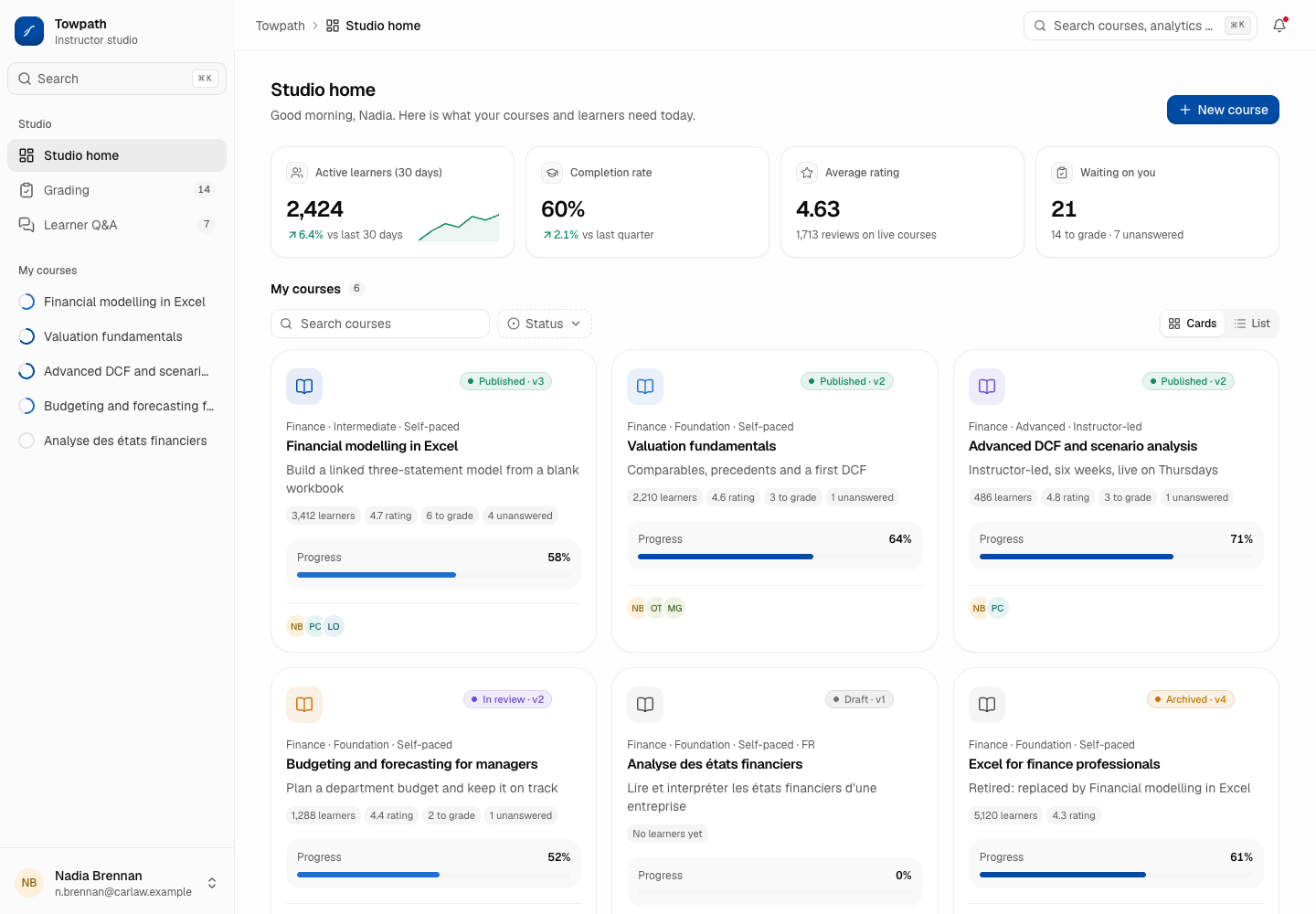
Towpath - Course Platform (LMS) for Professional Learning
Designed and built a clickable instructor studio for a Toronto provider of online finance, data and project management courses: course building with an accessibility gate before review, course analytics on aggregates only, a grading queue against a business-day target and learner Q&A across every course.
Pardalote - Mandatory Training Platform with Role-Based Requirements and Audit-Ready Evidence
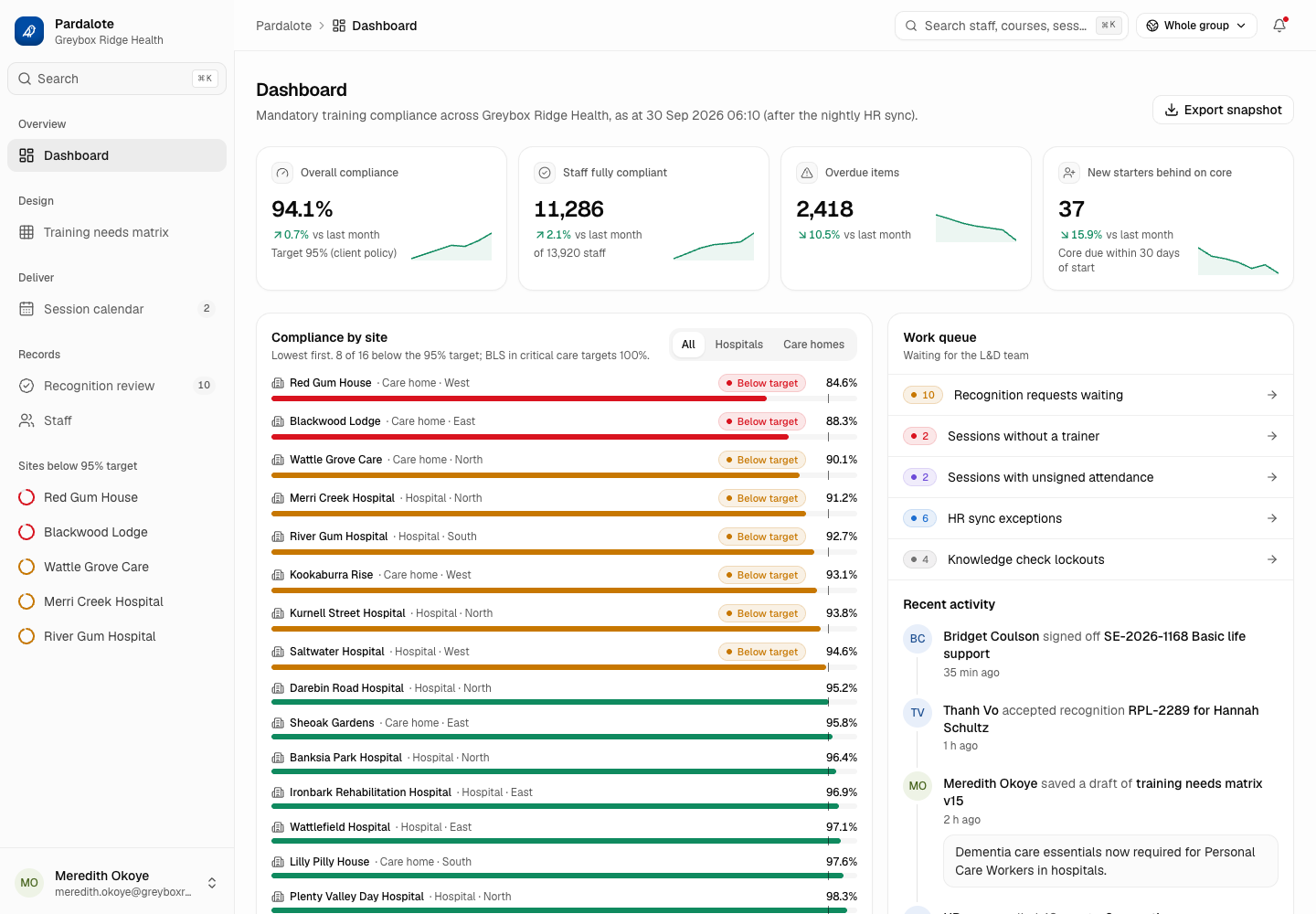
Designed and built a clickable L&D console for a Melbourne hospital and aged care group with about 14,000 staff: a training needs matrix that decides who must do what, live compliance by site and course, a session calendar for face-to-face practicals, recognition of prior learning and a staff record that shows why every requirement exists.
Enterprise Software Engineering - Human + AI
Contact Us
© 2026 - Copyright. All Rights reserved Oceanlab
Location
Global Headquarters
21 Merchant Road, 3rd Floor, Singapore 058267
Main corporate office and leadership operations
North America Office
548 Market Street, PMB 12345, San Francisco, CA 94104
Client operations and business development
India Office
402 Shivalik Shilp II, SG Highway, Ahmedabad 380015
Engineering and delivery center

Enterprise Software Engineering - Human + AI
Contact Us
Locations
Global Headquarters
21 Merchant Road, 3rd Floor, Singapore 058267
Main corporate office and leadership operations
North America Office
548 Market Street, PMB 12345, San Francisco, CA 94104
Client operations and business development
India Office
402 Shivalik Shilp II, SG Highway, Ahmedabad 380015
Engineering and delivery center
© 2026 - Copyright. All Rights reserved Oceanlab