Fernlight - Safety-First Dating App with a Trust and Safety Console
Trust and Safety Console for a New Zealand Dating App
Designed and built a clickable trust and safety console for a Wellington start-up's dating app for adults in New Zealand and Australia: a report queue triaged by severity with response targets, a case workspace that shows only reported conversations, romance scam clusters and a support inbox that hands safety issues to the queue.
Most of our work is under NDA. Per agreement, we can share the work but not the company details - all names and identifying information shown here have been changed.
Impact
Dashboard, report queue, three-column case detail, scam signals and the support inbox with ticket detail. Every one of the 22 demo cases opens its own case workspace.
15 minutes for a threat to life, 1 hour for P1, 12 hours for P2 and 48 hours for P3. Each case counts down to its first action, amber at 25% left and red when breached.
Off-app requests in the first 10 messages, money and gift card words, template messages, phone and device mismatch, stolen photos, rapid likes and shared devices, grouped into clusters with the members they contacted.
Across all 12 report categories, with 18 members, 5 scam clusters, 22 scam signals, 12 support tickets and 7 staff working the NZ and AU markets.
The Problem
Pūriri Lane Labs' founders ran a small invite-only dating community on a white-label app with no verification. Reports arrived as emails to a shared inbox, a moderator could not see that an account banned on Monday had come back on Wednesday with a new phone number and the same photos, two members lost money to the same romance scammer weeks apart, and the team could not tell a police officer what records it held or how fast it could preserve them.
Our Solution
Fernlight makes safety the product: every member is phone-verified, age-checked and photo-verified before they can match, and safety tools are free on every plan. Behind the member app, a trust and safety console gives every report a severity and a response target, and joins reports, AI flags, device and photo signals into one view of a member so repeat harm is caught early.
The Challenge: Safety That Members Can See
Members, especially women and LGBTQ+ members, said they would only move to a paid app that took their safety seriously and could show it. That means fast, fair decisions on reports, across two countries with their own privacy and online safety rules.
Reports Without Priorities
A missed check-in after a first date and a profile promoting an Instagram page arrived in the same inbox. The team needed severities from P0 to P3, each with a first action target, and urgent cases routed to whoever is on shift.
Banned People Coming Back
A new phone number was enough to return after a ban. Stopping it means matching devices, phone hashes, photo hashes and, only where the member consented, face templates, without treating every new sign-up as a suspect.
Scams Spread Across Accounts
Romance scammers work from several profiles with shared devices, reused photos and copied scripts. One report shows a single conversation; the pattern only appears when signals from many accounts are put side by side.
Two Markets, Sensitive Data
New Zealand's Privacy Act 2020 and Biometric Processing Privacy Code, Australia's Privacy Act 1988, the Online Safety Act 2021 and the Online Dating Industry Code all apply. Orientation, biometrics and precise location need separate consent, and private messages may only be seen when a report makes it necessary.
Our Approach: From Safety Rules to a Clickable Console
Spec and Rules Research
Mapped 9 user roles, 50 screens across the member app (20), public web pages (4) and staff console (26), and the data model for members, consents, verification checks, face templates, matches, messages, date plans, check-ins, reports, cases, enforcement actions, ban lists, scam signals, appeals and law enforcement requests. Wrote down the rules the design follows: both privacy acts, the biometric code, eSafety powers, the dating industry code, the Harmful Digital Communications Act, adults-only age assurance, app store rules and consumer law in both markets.
Clickable Demo on a Production UI Kit
Built 5 key screens of the trust and safety console on a production dashboard kit: the dashboard with KPIs, queue health, live check-ins and scam radar, the report queue with tabs, filters and time-to-target countdowns, the case workspace with subject, evidence and action columns, scam clusters and signals with false-positive marking, and the support inbox with macros and convert to safety case. A market filter switches between all markets, NZ and AU.
What a Production Build Adds
The member app and public web pages (trusted contact view, web deletion, ban appeals and the law enforcement portal), and the remaining console screens for moderation, verification, ban evasion, appeals, legal and privacy, policy, reports and settings. Integrations for phone OTP, age estimation and liveness checks, image and text moderation, child abuse hash matching, reverse image search, device signals, RevenueCat for store purchases and SMS to trusted contacts. Staff sign-in by role and an append-only audit log.
Why It Works: Fast Decisions, Kept in Bounds
Every Case Has a Clock
Severity comes from the report category, and changing it needs a reason. The queue shows each case's time to target, the number of reports on that member in 90 days and the source, from member reports and AI flags to trusted contact alerts and eSafety notices.
Private Until a Report Says Otherwise
Staff see only the reported conversation between the reporter and the reported member, and every view is logged. Photos are blurred and grayscale until revealed one by one, and each agent's graphic review time is tracked against a per-shift limit.
The Ladder Suggests, a Person Decides
The case workspace suggests an action from the enforcement ladder and the member's strikes, then records the policy version, reason code, duration and ban options. AI flags show their model, label and score, and the dashboard reports bans from AI flags confirmed by a person.
Support Hands Safety to the Queue
A support ticket that turns out to be a safety issue converts to a case in one step. Billing questions show the member's store purchases and refer refunds to Apple or Google, and safety macros include the emergency numbers 111 and 000.
Related case studies
View all: Social & community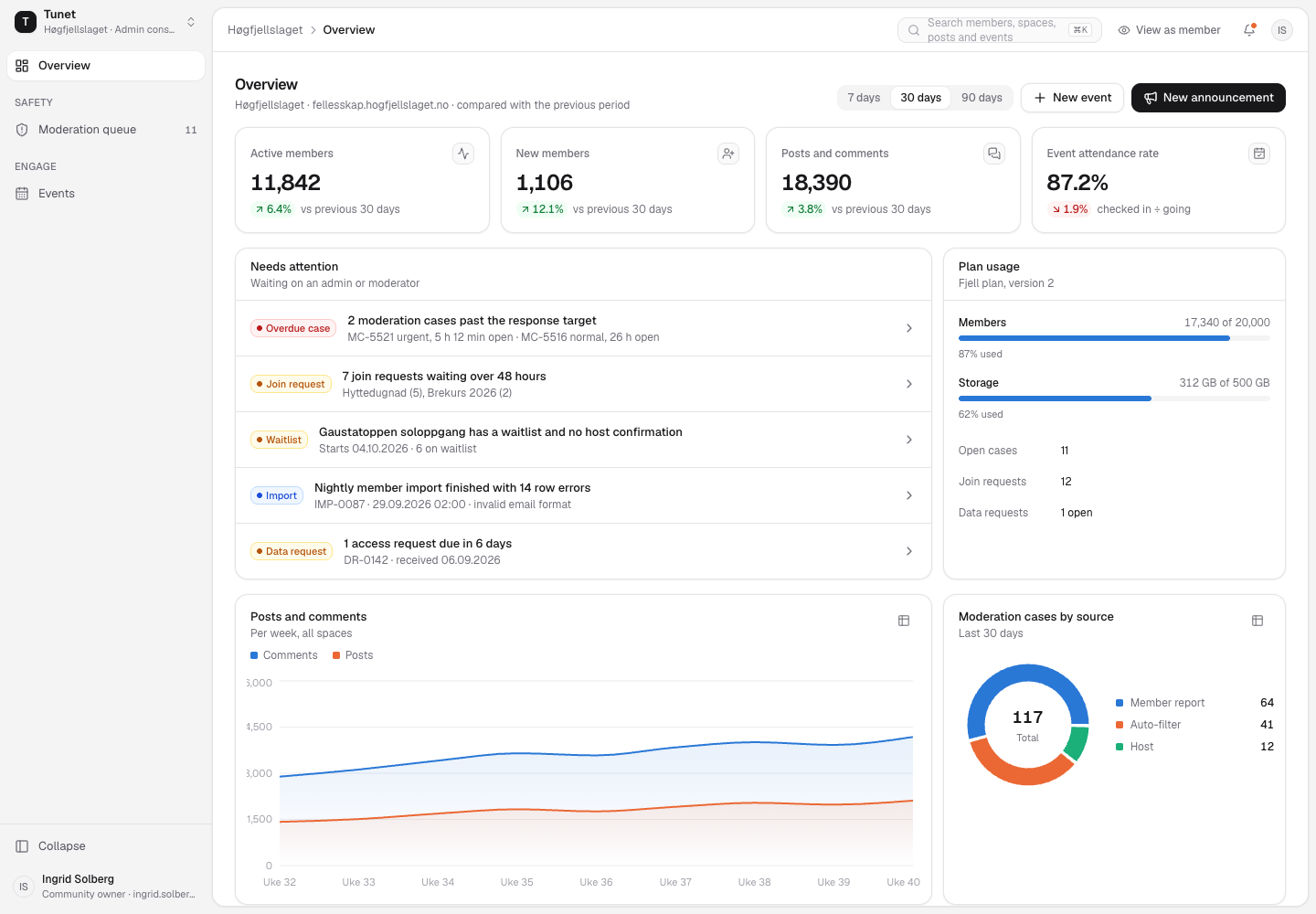
Tunet - White-Label Community Platform for Membership Organisations
Designed and built a clickable community admin console for an Oslo software company's white-label community platform, shown for its first customer, a national hiking association: a community overview, a moderation queue with a full case workspace and decision flow, and event management with RSVPs, waitlist, check-in and attendee messages.
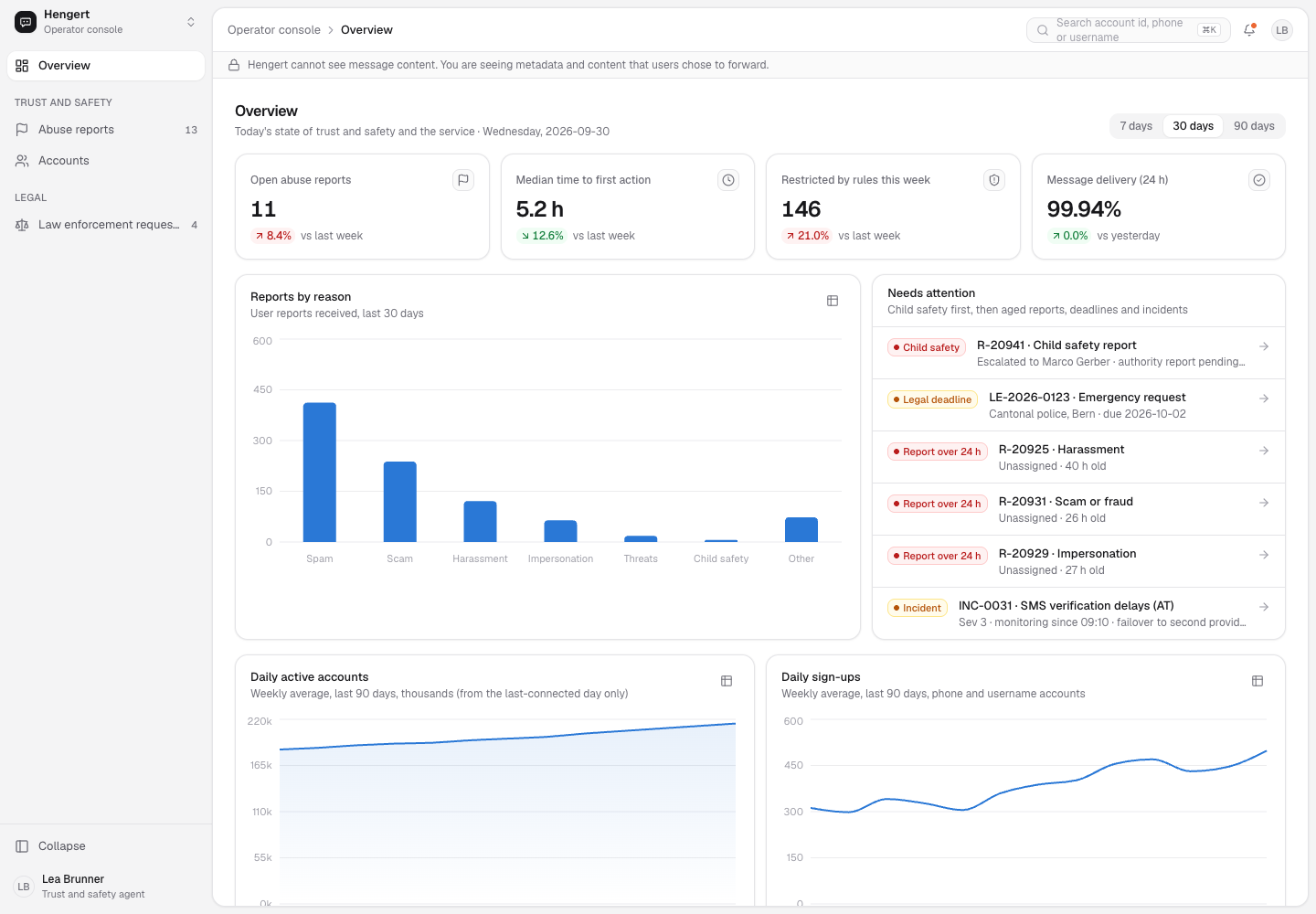
Hengert - Trust and Safety Console for an End-to-End Encrypted Messenger
Designed and built a clickable operator console for a Zurich company's end-to-end encrypted messenger for families and small groups: an abuse report queue worked only from content users chose to forward, account pages that list what the server holds and what it does not, and a law enforcement desk that answers only with data that exists.
Enterprise Software Engineering - Human + AI
Contact Us
© 2026 - Copyright. All Rights reserved Oceanlab
Location
Global Headquarters
21 Merchant Road, 3rd Floor, Singapore 058267
Main corporate office and leadership operations
North America Office
548 Market Street, PMB 12345, San Francisco, CA 94104
Client operations and business development
India Office
402 Shivalik Shilp II, SG Highway, Ahmedabad 380015
Engineering and delivery center

Enterprise Software Engineering - Human + AI
Contact Us
Locations
Global Headquarters
21 Merchant Road, 3rd Floor, Singapore 058267
Main corporate office and leadership operations
North America Office
548 Market Street, PMB 12345, San Francisco, CA 94104
Client operations and business development
India Office
402 Shivalik Shilp II, SG Highway, Ahmedabad 380015
Engineering and delivery center
© 2026 - Copyright. All Rights reserved Oceanlab