Benchbot - Lab Robotics Tracker for Protocols, Robot Runs and Sample Lineage
Lab Robotics Tracker for a Swiss Synthetic Biology Start-up
Designed and built a clickable lab robotics tracker for a Basel enzyme engineering start-up running about 300 automated runs a week: what is running now, the robot queue against a 24-hour instrument timeline, live run status with errors and recoveries, and every plate traced well by well back to its glycerol stock.
Most of our work is under NDA. Per agreement, we can share the work but not the company details - all names and identifying information shown here have been changed.
Impact
Dashboard, run queue, run detail, plates and lineage, and plate detail. Every one of the 28 demo runs and 27 plates opens its own detail page.
Protocol version approved, requester trained on every instrument, area containment level, reagent lots in date, instruments in service and calibrated, tips and plates in stock, and input plates located.
Glycerol stock to expression, clarified lysate, 384-well assay and hit pick. Expanding a node shows the well mapping, such as the 96 to 384 quadrant stamp.
4 active, 10 waiting and 14 finished runs, with 12 instruments, 10 protocols, 8 experiments, 9 reagent lots, 5 run errors and 8 staff users.
The Problem
Rheinsprung's scientists designed plate layouts in spreadsheets, booked robot time on a shared calendar and emailed the automation engineer to start runs. Protocol versions lived in the scheduler's own project files, so nobody could say which version produced a result. Recoveries from a 03:00 tip pickup error went on a sticky note, if at all, and tracing a hit back through parent plates and reagent lots took a scientist half a day.
Our Solution
Benchbot gives scientists and lab ops one place for protocols, run requests, live run status, plates and results. It sends requests to the lab's scheduling software and reads status back from the instrument drivers, records every error and recovery against the step that caused it, and builds each plate's lineage from the transfers the robots made.
The Challenge: Tracking Robots That Run All Night
An automated biology lab mixes robots, living organisms and regulated records. Four liquid handlers, three plate readers, two incubators, a sealer, a centrifuge and a 6-metre rail robot run around the clock, while Swiss law sets rules for the organisms, the staff and their data.
Which Version Made This Result
Protocols lived as files inside the scheduler, edited in place. Without a version history tied to each run, a result could not be traced to the exact steps, parameters and deck layout that produced it.
Errors at 03:00 With No Record
Tip pickup failures, clots, gripper slips and driver timeouts happen mid-run. The recovery chosen - retry, skip a well, intervene by hand or abort - changes what the data means, yet it was rarely written down.
Lineage Traced by Hand
Child plates were barcoded, but their parent plates, wells and reagent lots were not linked. Confirming one hit meant walking back through glycerol stocks, expression plates and lysates in spreadsheets.
Containment, Training and Staff Data
Work with genetically modified E. coli and yeast falls under the Containment Ordinance, worker protection rules under SAMV, and training records and audit trails are personal data under the revFADP. Swiss employment law also limits systems that monitor staff.
Our Approach: From Lab Rules to a Clickable Tracker
Spec and Rules Research
Mapped 7 staff roles plus a shared bench tablet, 37 screens across the scientist app, lab ops console, settings and bench devices, and the data model for protocol versions, deck layouts, runs, control requests, errors, plates, well transfers, reagent lots, results, QC and the audit trail. Wrote down the rules the design follows: the Containment Ordinance, SAMV, revFADP, ALCOA+ data integrity, dual-use flags under the Goods Control Act and ANSI/SLAS plate formats.
Clickable Demo on a Production UI Kit
Built 5 key screens on a production dashboard kit: the dashboard with KPIs, now running, my work by role and needs attention, the run queue with a 24-hour instrument timeline, run detail with the step timeline, instrument status and recovery options, the plates list, and plate detail with a 384-well grid, QC metrics, well inspector and lineage. Pause, abort, recovery and priority requests change local state only.
What a Production Build Adds
Integration with the lab scheduler (such as Green Button Go, Cellario or Momentum), SiLA 2 servers and vendor drivers, plate reader results parsing, ELN and LIMS export (such as Benchling), Zebra label printing, Entra ID single sign-on, Swiss-region storage for raw files and Teams alerts. A hash-chained audit trail, the review workbench, the lab ops console and the bench scan tablet.
Why It Works: Records the Robots Cannot Skip
Requests, Not Remote Controls
Pause, resume, abort and recovery buttons send a request to the scheduler, and a run only changes status when the scheduler confirms. Instrument interlocks are never shown as controls, so Benchbot cannot bypass them.
Every Run Pinned to a Version
Each run records its protocol version and the scheduler file hash, and run detail shows whether the hash matches. A run on an older approved version carries a written reason and is marked as such in the queue.
Errors Stay on the Timeline
The step timeline shows planned against actual times from the scheduler and drivers, and an error holds the run at its step with the driver's code, the affected wells and the recovery options offered. Who chose each recovery, and why, stays on the run.
Plates Explain Themselves
Plate detail switches the well grid between content, condition and result, marks hits and QC flags, and computes Z' factor, control CV, signal to background and edge effect. Clicking a well shows its parent well, reagent lots and raw read.
Related case studies
View all: Space & frontier tech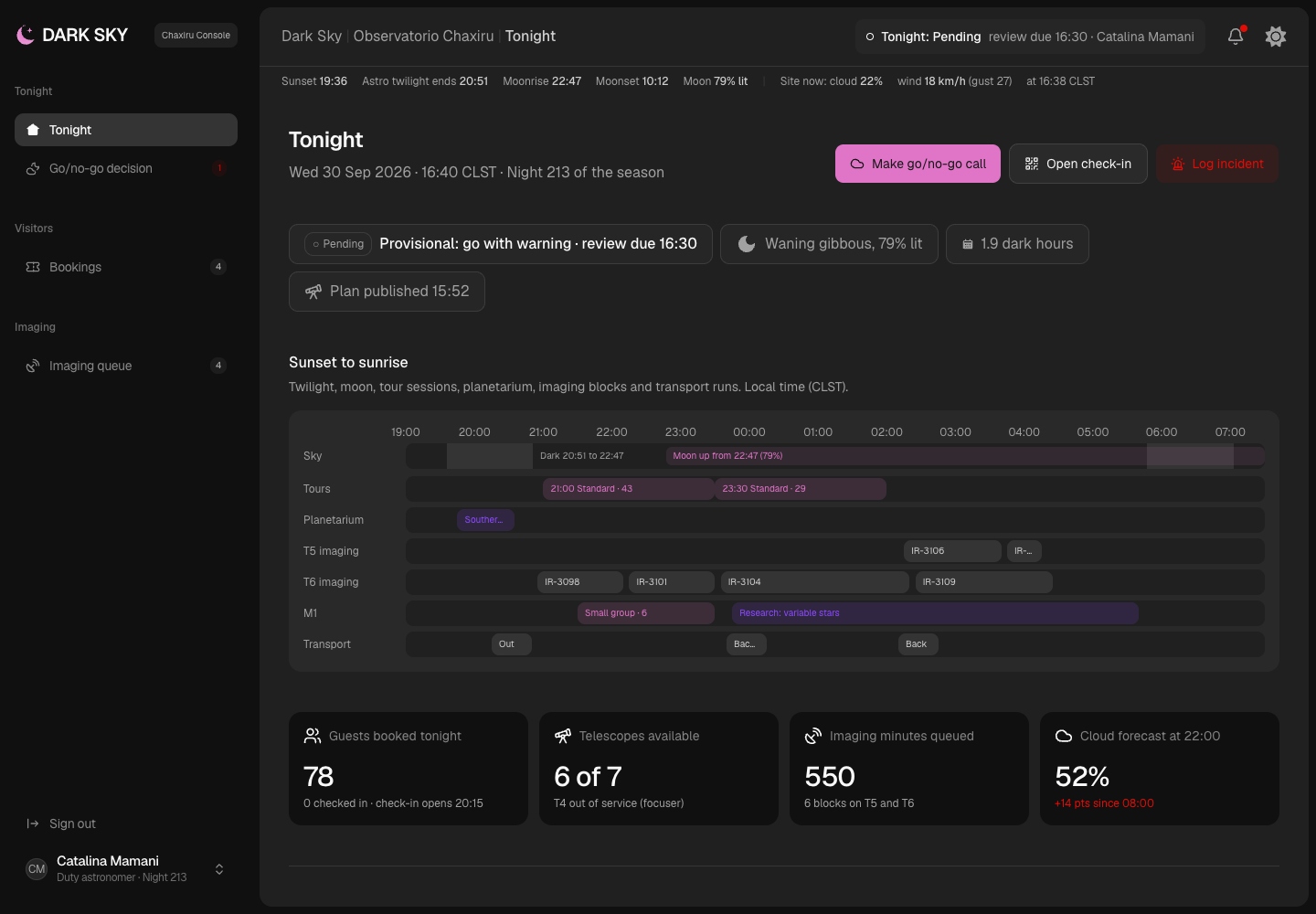
Dark Sky - Observatory Booking and Night Operations Platform with a Red-Light Console
Designed and built a clickable staff console for a public observatory and dark-sky tourism centre in the Chilean Atacama: tonight's tours, telescopes and imaging on one timeline, a weather go/no-go call that shows who it affects before it is recorded, bookings with rebooking and refunds under the weather policy, and a remote imaging queue scheduled in UTC - all in a theme that keeps night vision intact.
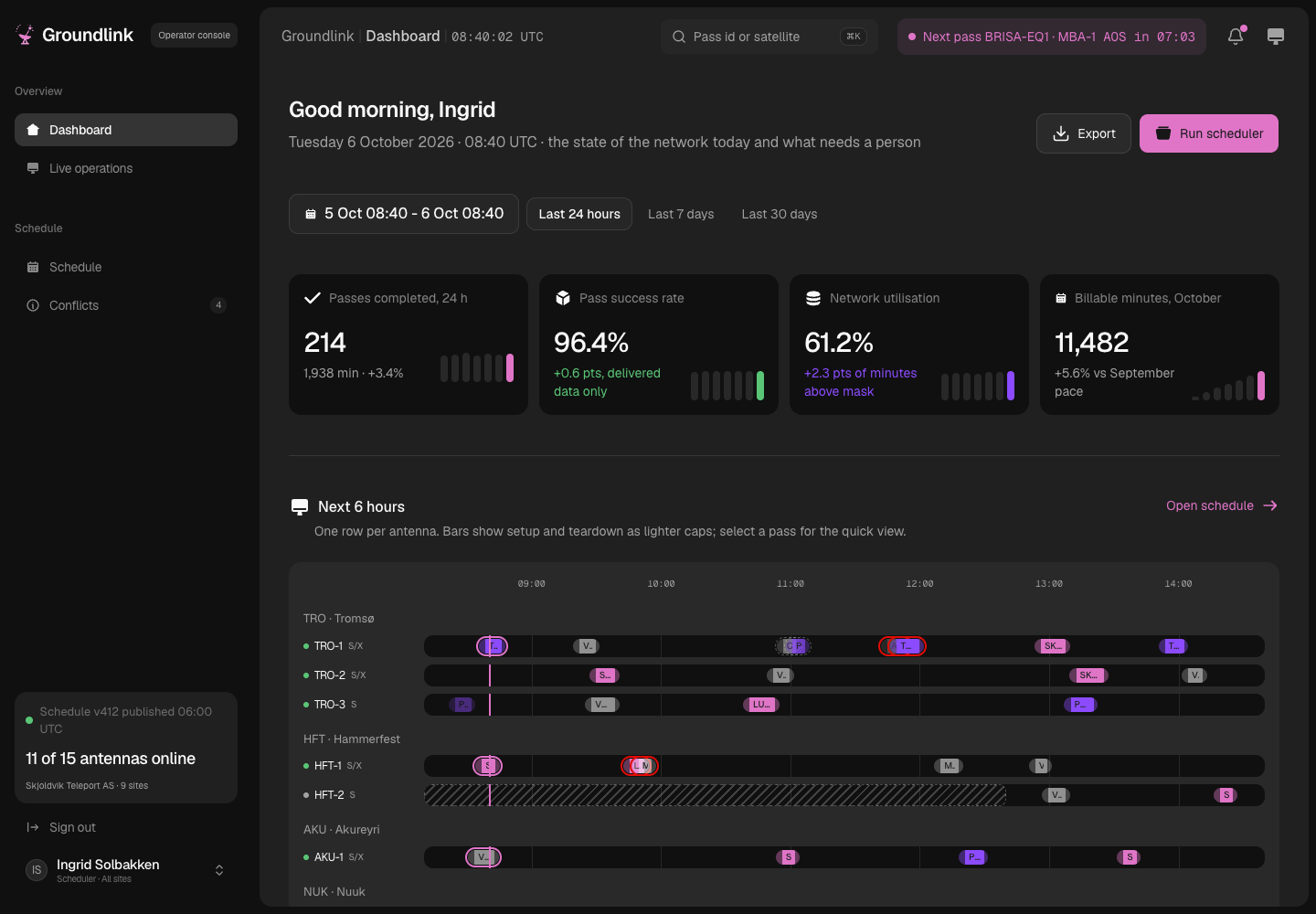
Groundlink - Ground Station Scheduling Platform from Orbit Data to Invoice
Designed and built a clickable scheduling and operations platform for a Tromsø ground-station-as-a-service operator: predict and book satellite passes across nine antenna sites, resolve conflicts by priority tier and contract, block any pass a site licence does not cover, follow every pass live through antenna telemetry and trace it through to delivered data and billable minutes.
Enterprise Software Engineering - Human + AI
Contact Us
© 2026 - Copyright. All Rights reserved Oceanlab
Location
Global Headquarters
21 Merchant Road, 3rd Floor, Singapore 058267
Main corporate office and leadership operations
North America Office
548 Market Street, PMB 12345, San Francisco, CA 94104
Client operations and business development
India Office
402 Shivalik Shilp II, SG Highway, Ahmedabad 380015
Engineering and delivery center

Enterprise Software Engineering - Human + AI
Contact Us
Locations
Global Headquarters
21 Merchant Road, 3rd Floor, Singapore 058267
Main corporate office and leadership operations
North America Office
548 Market Street, PMB 12345, San Francisco, CA 94104
Client operations and business development
India Office
402 Shivalik Shilp II, SG Highway, Ahmedabad 380015
Engineering and delivery center
© 2026 - Copyright. All Rights reserved Oceanlab